You already
have the material.
Problem postDemo clipCarouselFAQEmailTutorialDiscussion
A different reader question for each piece.Record one complete customer task, mark the moments that answer different questions, and turn those moments into useful posts, explanations, and follow-up material. Keep each asset connected to what the recording actually shows.
You already
have the material.
If your product announcement got a few views and disappeared, another generic announcement may not give people a fresh reason to visit. Reuse the demonstration to answer different questions, with a useful destination for each answer.
A week of content can include a tutorial, FAQ, email, and carousel alongside social posts. You do not need seven accounts or seven versions of the same promotional message.
A useful source recording includes the starting situation, the important product actions, the result, and any prerequisites that affect it. Use sample data you can share and remove private information from the recording.
If you have not recorded the demo yet, start with the SaaS product demo script template. It connects the narration to what appears on screen.
Here is our fictional teaching example: Loopback groups customer feedback before a product review. The proposed recording imports a sample file, creates a draft grouping, lets the founder inspect the underlying comments, and saves a reviewed summary. This is a storyboard example, not footage of a real product or a measured campaign.
Watch the recording and list the moments you can use. Note the screen state, what it demonstrates, and any qualification that needs to travel with it.
| Illustrative demo section | Evidence available | Question it helps answer |
|---|---|---|
| Starting spreadsheet | Feedback is spread across rows and categories | Why would someone change this workflow? |
| Sample import | The required fields and the input process | What do I need before starting? |
| Draft grouping | Suggested categories and the comments assigned to them | What does the product produce? |
| Human review | A founder checks and changes a category | What still needs judgment? |
| Saved summary | The final reviewed output | What can I take into the next meeting? |
An edited sequence can demonstrate a workflow. It does not, by itself, establish average completion time, accuracy, or business impact. Keep cuts and illustrative records clear where they affect the viewer's interpretation.
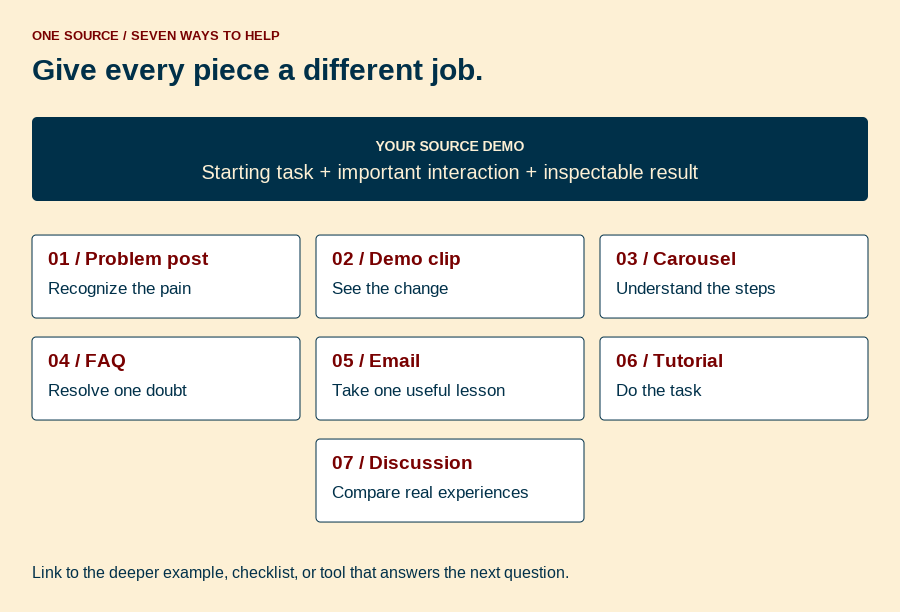
Use this seven-piece map as a starting schedule. Change the order to fit where your audience is active.
| Piece | Angle | Source material | Next action |
|---|---|---|---|
| 1. Problem post | Why the current workaround causes confusion | Starting spreadsheet and customer task | Read the worked example |
| 2. Short demo clip | The decisive interaction and visible result | Draft grouping, review, saved summary | Watch the complete walkthrough |
| 3. Screenshot carousel | The steps someone needs to understand | Five readable product states | Try the sample workflow |
| 4. FAQ answer | Whether people can inspect the original comments | Human-review section | Inspect the example output |
| 5. Email | One practical lesson from the workflow | Review decision and final summary | Open the guide |
| 6. Tutorial section | How to prepare the input and check the output | Sample import and review | Use the preparation checklist |
| 7. Discussion post | How other teams make the same decision | The workflow's main tradeoff | Describe their current process |
Publish the tutorial on a stable website page. Give the other pieces a relevant destination rather than sending every reader to a general homepage. A discussion post can ask a useful question without a link.
Your feedback spreadsheet can tell you what people requested.
It still needs someone to decide what those requests mean.
Group similar comments, then check the original wording.
A neat category can hide two different problems.
I mapped a simple review workflow using fictional data.
Use the content map and review checklist in this guide.
This is sample copy for the fictional workflow above. It points to the method in this guide; it does not claim a finished product recording exists.
Use readable screenshots when you have real footage. A diagram can explain the process, but label it as an illustration. Do not present a mock interface as a product capture.
Subject: Before you summarize customer feedback
When you group customer requests, keep a route back to the original comments. Two requests can sound similar while describing different problems.
Our worked example shows the input, a draft grouping, and the review decision. Use it to plan what your team needs to check before the next product meeting.
Use the content map and review checklist.
For a short clip, keep the interface readable and the task understandable without sound. For a carousel, give each frame one point. For an email, choose one lesson and one destination. For a tutorial, include the prerequisites and an exception someone may encounter.
Reusing a recording saves you from inventing a new topic each time. Each finished asset still needs editing for its reader and channel.
Before publication, check that the text describes the available feature, the output follows from the input shown, and any claimed number has independent support. Carry important plan requirements and limitations into short formats too.
Let the post or clip teach something on its own. Put the deeper working material on your site: the complete checklist, source notes, readable examples, or an editable template. State exactly what the visitor will find there.
For example, a short clip can explain the review decision. The linked guide can contain the preparation checklist and original sample output. That gives the click a purpose beyond seeing the same promotional copy again.
Before sharing, open the destination on a phone, verify the link, and make sure the promised material is easy to find. Where your analytics supports it, use a consistent campaign tag to distinguish a LinkedIn post from an email or a partner share.
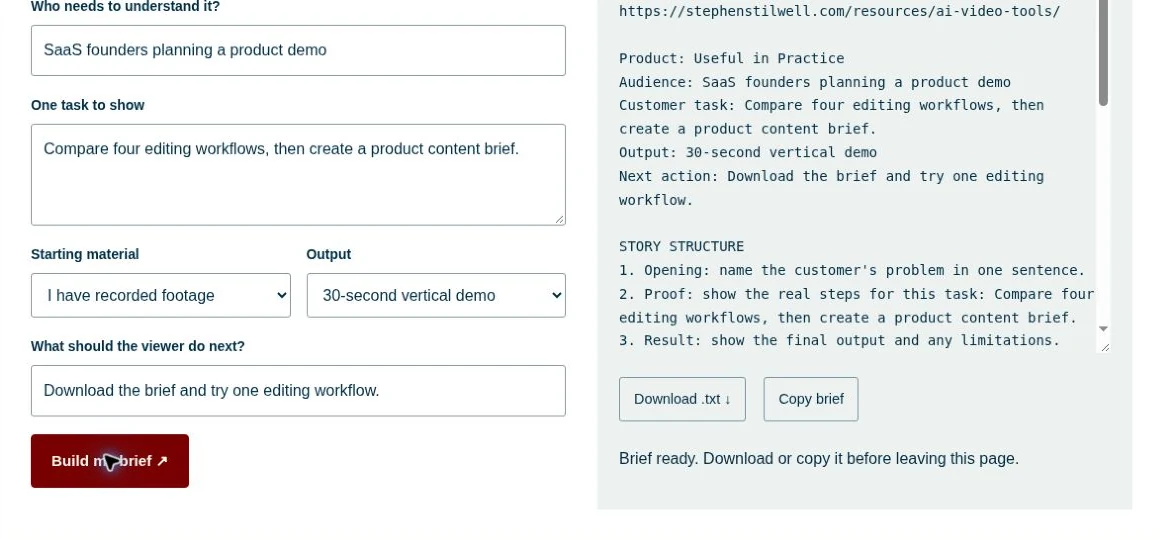
The existing Useful in Practice demo examples page shows a captured brief-planner input and its actual generated text output. The brief names an audience, a customer task, a 30-second vertical-demo format, and a next action.
Use that relationship as the pattern: capture the real input, explain the important decision, and let readers inspect the output. The capture is a text-brief example, not a finished video or a customer performance result.
Keep a simple record of the asset, publication date, channel, tagged destination, and intended next action. Compare tutorial visits, useful replies, signups, and product use where those events can be measured.
Different formats have different jobs. A useful FAQ may help an existing prospect decide, while a problem post may introduce someone new. Do not assume a view is a visit or a visit is a purchase.
Use the free SaaS demo-script guide to prepare your source recording. Explore the existing demo storytelling examples for ways to connect a task, evidence, and result.
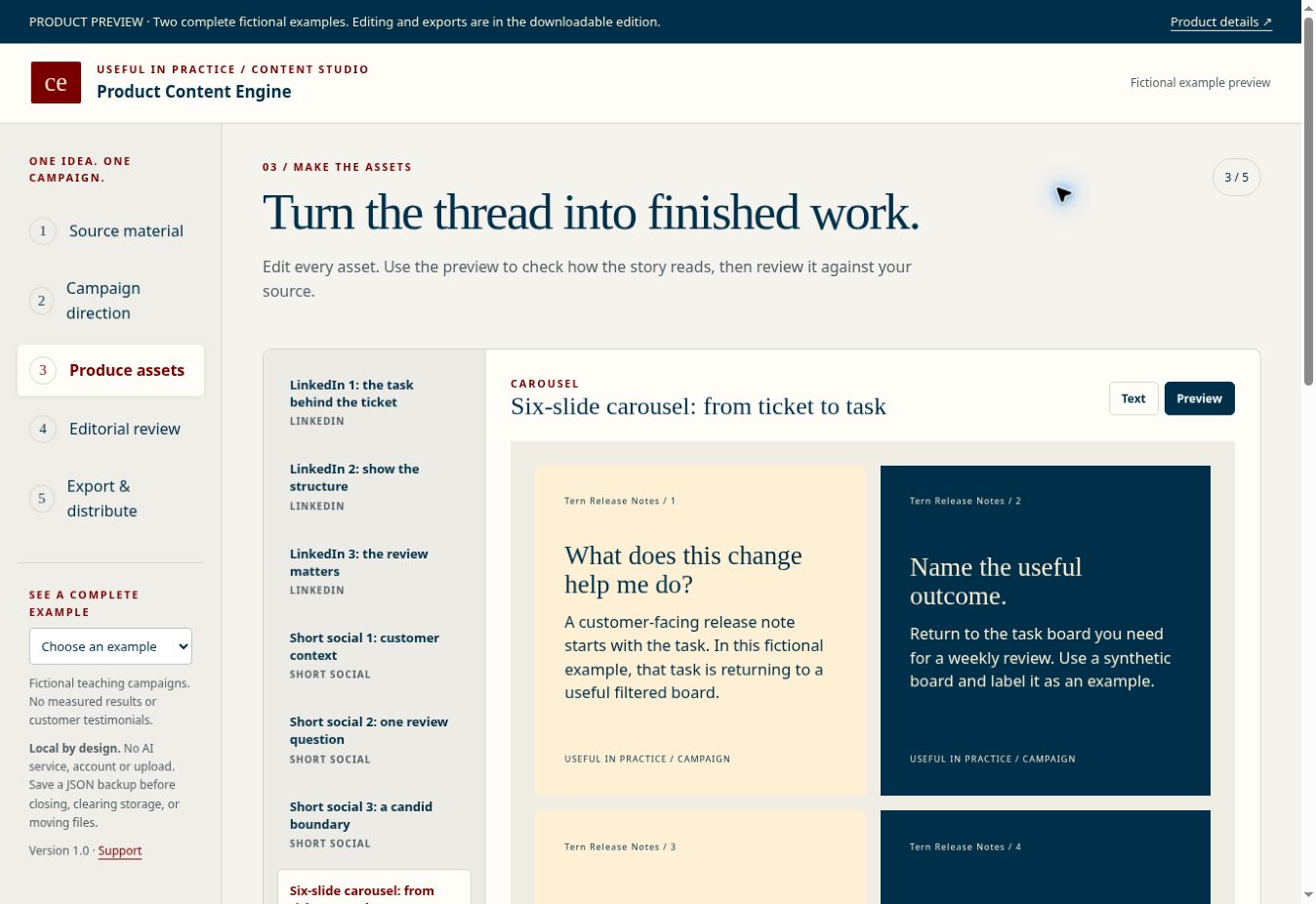
If you want a portable workspace for coordinating campaign copy, inspect Product Content Engine. It includes editing frameworks and exportable assets. It does not record or render video, run an AI model, or publish your posts. You can use the map in this guide with your existing tools.
No. A documented workflow with real screenshots and an inspectable output can also support a content series. State what you actually produced and keep demonstrations separate from proposed storyboards.
Publish fewer pieces. A recording that answers two useful questions may support two strong assets. The schedule should fit the source material.
A two-week plan for finding your audience, diagnosing missing clicks, and testing one useful offer.
A reusable test packet and scorecard for writing that preserves your facts and examples.
A conversion diagnostic, clear positioning examples, and a worksheet for deciding what to fix first.
Check technical access, build useful evidence, and keep a repeatable AI visibility log without a paid subscription.
A buyer decision map, discovery questions, pilot brief, and follow-up email for founder-led sales.
A first-value map, cohort example, user interview script, and a seven-day onboarding investigation.