STEPHEN
STILWELL
u/p.
USEFUL IN PRACTICE / PRODUCT 02 / CONTENT PRODUCTION

One great idea.
A complete
campaign.

Turn the product, article or feature you already have into a coordinated set of marketing assets. A portable Content Studio and an editable production library you keep.

$49 USD, one time · Download after verified payment.
No account. No required AI API. No monthly subscription.

CONTENT STUDIO / ACTUAL PRODUCTV1.0
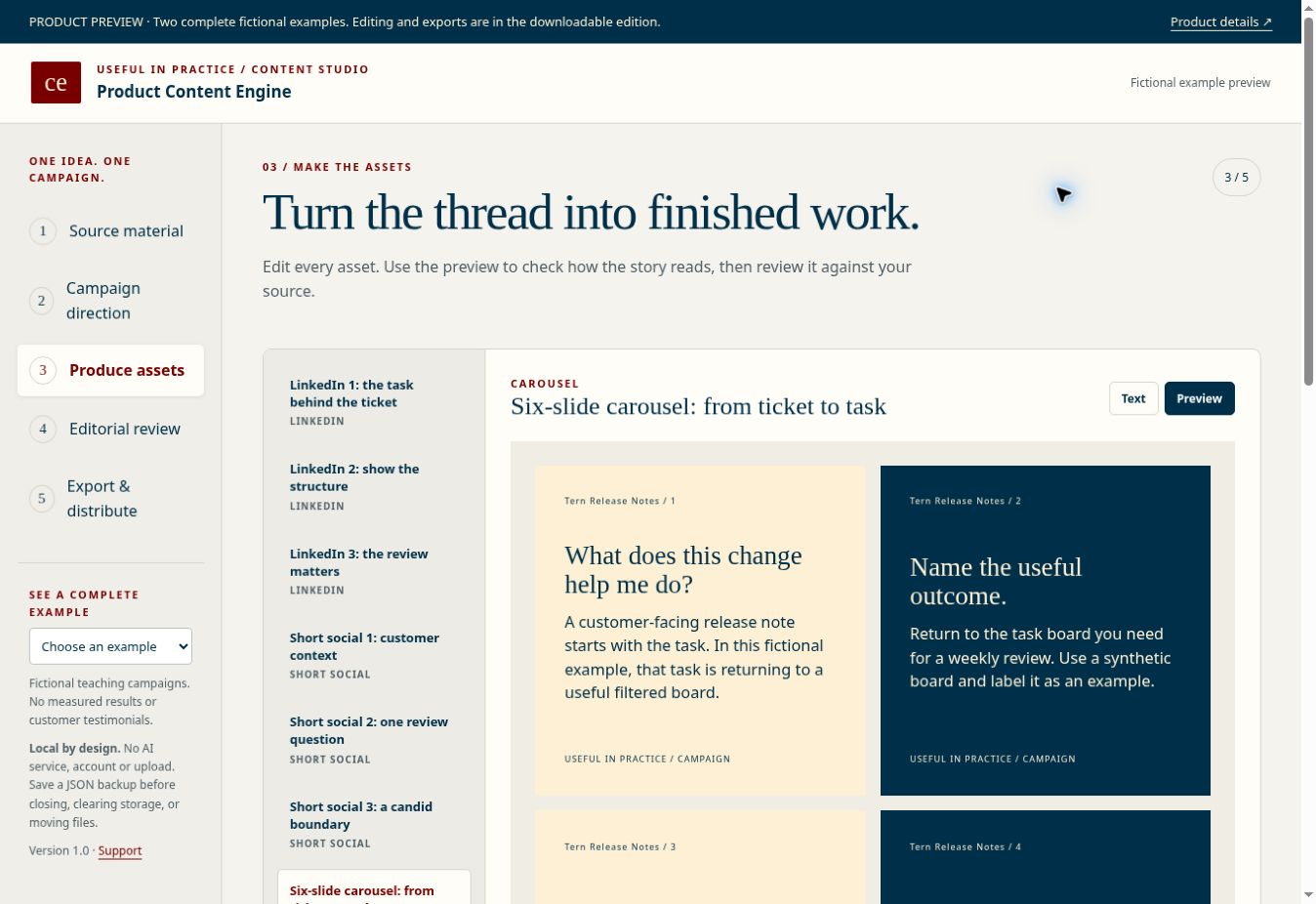
Actual Content Studio with a fictional campaign, editable channel assets and a six-slide carousel preview
SOURCE → MESSAGE → ASSETS → REVIEWYOUR WORK, IN YOUR FILES.
OFFLINE HTML STUDIOEDITABLE CAMPAIGN ASSETSTWO COMPLETE EXAMPLESOPEN FILE EXPORTS
THE PRODUCTION PROBLEM

A good idea gets lost
between the channels.

The LinkedIn post says one thing. The email says another. The carousel is still a blank slide.

Content Engine gives every asset the same source, message and next action. Start with an existing product brief, article, feature or research asset. Build structured drafts, refine them in one workspace, then take the finished files to the tools you already use.

Designed for solo founders, product marketers, independent consultants and small teams who handle their own content. Best when you understand the offer and need to produce the campaign.

You supply the judgment and final edits. The Studio uses writing frameworks. It does not run an AI model, retrieve URLs, create video footage, or publish to social accounts. Optional editing prompts work with an assistant of your choice.
THE DOWNLOAD / WORKING FILES

A small studio.
A complete working system.

01 / CONTENT STUDIO · HTML

One focused production workspace.

Five stages connect source material, campaign direction, asset editing, editorial review and export. Preview carousels and video storyboards. Save browser drafts and portable JSON backups.

Open the actual example preview →
02 / PRODUCTION LIBRARY · MD, CSV, SVG

Useful material around the workspace.

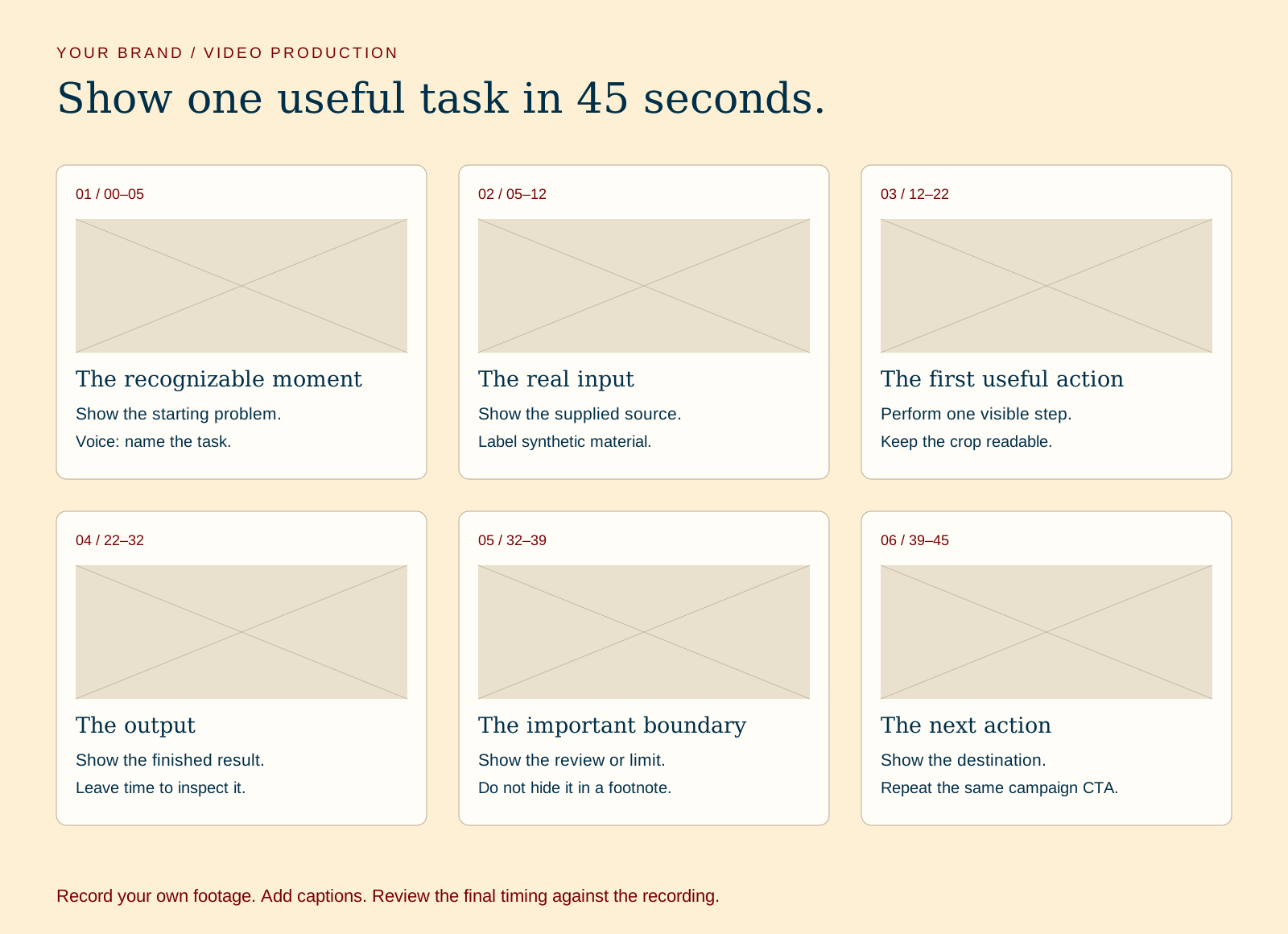
Channel writing playbook, voice rules, repurposing map, production checklist, 30-day schedule, performance log and editable carousel and storyboard layouts.

Actual editable video storyboard library layout with six production frames

Text and spreadsheet resources for ordinary editors. SVGs contain editable text. No native Canva, Notion or PowerPoint files.

03 / COMPLETE CAMPAIGNS · HTML, MD, JSON, CSV

See how the decisions carry through.

Tern turns a fictional SaaS release log into a launch campaign. Mara turns a substantial article into a consultant’s service campaign. Both include finished copy, carousel, video storyboard, emails and a full 30-day schedule.

Fictional scenarios, clearly labeled. No invented client results or testimonials.

04 / START HERE · HTML

A clear first session.

Extract one ZIP, open START-HERE.html, and follow a practical first session. Read compatibility, backup instructions, license and support details before using the files.

Current desktop browser with JavaScript for the Studio. Text editor, spreadsheet or compatible vector editor for the library. Core workflow works without internet access.

ONE SOURCE / A COORDINATED CAMPAIGN

Follow the idea.
Inspect the finished work.

EXAMPLE A / FICTIONAL SAAS

Tern Release Notes

The starting material: a manually maintained customer-facing release log for small SaaS teams.

The message: make the customer-facing change clear, then link to the useful next step.

The campaign: three LinkedIn posts, short social variations, a six-slide carousel, a 45-second video storyboard, three emails, newsletter feature, landing-page copy and 30-day schedule.

Inspect Tern and Mara ↗
ACTUAL EXAMPLE CONTENT / CAROUSEL

A release note is
not an internal
ticket title.

Show what changed.
Explain who it helps.
Give the reader one next step.

FICTIONAL TEACHING CAMPAIGN / TERN

The interactive preview uses the same interface and campaign files as the download. It is an inspection edition. Editing, backups and exports are included in the downloadable Studio.

FROM FIRST PASS TO PUBLISHABLE WORK

Make. Check. Keep.

01 / MAKE THE DRAFTS

Keep the message connected.

Choose your channels. Build starting assets from your structured brief. Edit every word. Paste source text for reference and use optional source-grounded editing prompts when helpful.

02 / CHECK THE CAMPAIGN

Review across the channels.

Check evidence, specificity, differentiation, permissions and the next action. The checklist records your review. It does not pretend to verify facts automatically.

03 / KEEP THE FILES

Export for the next step.

Markdown, TXT and portable HTML for copy. CSV for a dated 30-day publishing calendar. Editable SVG for carousel layouts. JSON for full-project backup and restore.

SVG exports are a vertical slide board with editable text, not a finished social PDF. Video output is a script and storyboard, not a rendered video. Your project stays in your browser unless you choose to copy or export it.

CHOOSE THE JOB YOU NEED DONE

Planning a launch?
Producing the content?

PRODUCT 01 / $29 USD ONCE

Launch to Market Toolkit

Choose an audience, shape an offer and plan a market experiment. Includes discovery and decision templates, an experiment workbook, starter campaign copy and worked launches.

Buy it for: deciding what to launch and what to test.

Explore Launch to Market →
PRODUCT 02 / $49 USD ONCE

Product Content Engine

Turn an existing idea or source into coordinated finished assets. Includes a production editor, channel previews, calendar, export workflow and substantially expanded production examples.

Choose it for: creating, reviewing and distributing the content.

Inspect the Content Studio →

Both products include some campaign guidance. Content Engine’s additional value is the production workflow and depth of editable channel assets. No bundle is currently offered.

A WORKBENCH YOU OWN

Build the campaign.
Keep the system.

One buyer may adapt the files for their business and client projects, and share adapted outputs with their team or project client. Source toolkit redistribution and resale are excluded.

Request a full refund within 14 calendar days of purchase. No recurring charge, required API credits, consulting or future major editions are included. Support covers file and access issues by email.

Read terms, support and compatibility →
PRACTICAL ANSWERS

Before you decide.

Does this generate content with AI?

The Studio uses structured templates based on your fields. It does not run an AI model or automatically understand pasted documents. Optional prompts give an AI assistant your source and draft for editing. Nothing is sent automatically, and no paid API key is required.

Can I use it without your website?

Yes. The downloaded Studio is a single HTML application. Extract the ZIP and open it in a current desktop browser. The core workflow has no external scripts, fonts or network calls. Save JSON backups because browser storage can be cleared or unavailable for local files.

Will it fetch my product page or publish my posts?

No. URLs are saved as text references. Paste the source material you want to work from. Publishing, email sending, image rendering and video production happen in your own tools after review.

What can I export?

Campaign copy as Markdown, TXT and self-contained HTML; a 30-day calendar as CSV; a carousel layout as editable SVG; and the complete project as JSON. JSON is the supported restore format. No native video, PowerPoint, Canva or Notion exports are included.

Is this useful if I already own Launch to Market?

It may be, if you have made the launch decisions and now need to produce a deeper set of coordinated content. Launch to Market already includes starter campaign copy. Content Engine adds a dedicated production editor, previews, reusable channel resources, full campaigns and export workflow. Inspect the examples before deciding.

Can I buy it now?

Yes. Product Content Engine v1 costs $49 USD once, plus applicable tax. Review the worked examples and compatibility, then use secure checkout. After verified payment, download the ZIP and open START-HERE.html. Access instructions arrive by email; purchase recovery works with your checkout address.

Who makes it, and how do I get help?

Product Content Engine is made by Stephen Stilwell, creator of Useful in Practice. Email stephenestilwell@gmail.com for product questions. Support covers access and file issues, without a guaranteed response time or bespoke campaign review.