Evidence note: We tested Tally's public editor and preview on October 29, 2026 without signing in. This narrow hands-on test is combined with a documentation review. The authenticated AI connector, response analysis, paid plans, and production webhooks were not tested. Vendor demonstrations are labeled as vendor material. No paid relationship is represented. The practical workflow below is a proposed implementation, not a measured customer result.
A useful inquiry form should make the next decision easier. It should tell you what somebody needs, whether you can help, and what information is still missing. A form that produces another email to ignore has collected data without creating much operational value.
That is the interesting question around Tally's AI expansion. The product is moving beyond a document-like way to build forms. Its current documentation describes creating and editing forms through an AI assistant, then bringing submissions into the same conversation for analysis. The August 27, 2026 changelog introduced official connections for ChatGPT, Claude, and Superhuman Go. That is a meaningful distribution change, but the stronger business case is the handoff after an answer arrives. [1]
For a founder, freelancer, or small marketing team, Tally could become a relatively light intake layer between a visitor and a useful work queue. The test is whether that queue reliably reaches a person who can make a decision.
What we actually tried
We opened tally.so/create without logging in and named a draft “Client project intake test.” Pressing Enter created an empty block. Typing the slash command through the keyboard opened the block menu; pasting or filling a slash on its own did not do so in this browser test. We chose Short answer and labeled it “What should your product help someone do?”
The Preview showed a required text field. Submitting it empty displayed “Please enter a value” and a “Continue anyway” option. That was preview behavior; it does not establish how a published form enforces its requirements. After entering the fictional answer “Show a founder how to qualify a project brief.” and pressing Submit, the preview displayed “Form submitted” and a completion message.
This was enough to see the path from an editable document block to a respondent-facing question. The keyboard interaction was an easy detail to miss: typing the command and inserting a slash as field content were not interchangeable in this test. It is a small example of why an apparently simple editor still deserves an actual walkthrough.
It was not an end-to-end intake test. We did not publish the form, create an account, verify a saved response, or connect a destination. A confirmation in Preview is evidence that the preview flow reached its final screen. It is not evidence that a prospect's inquiry reached a private work queue.
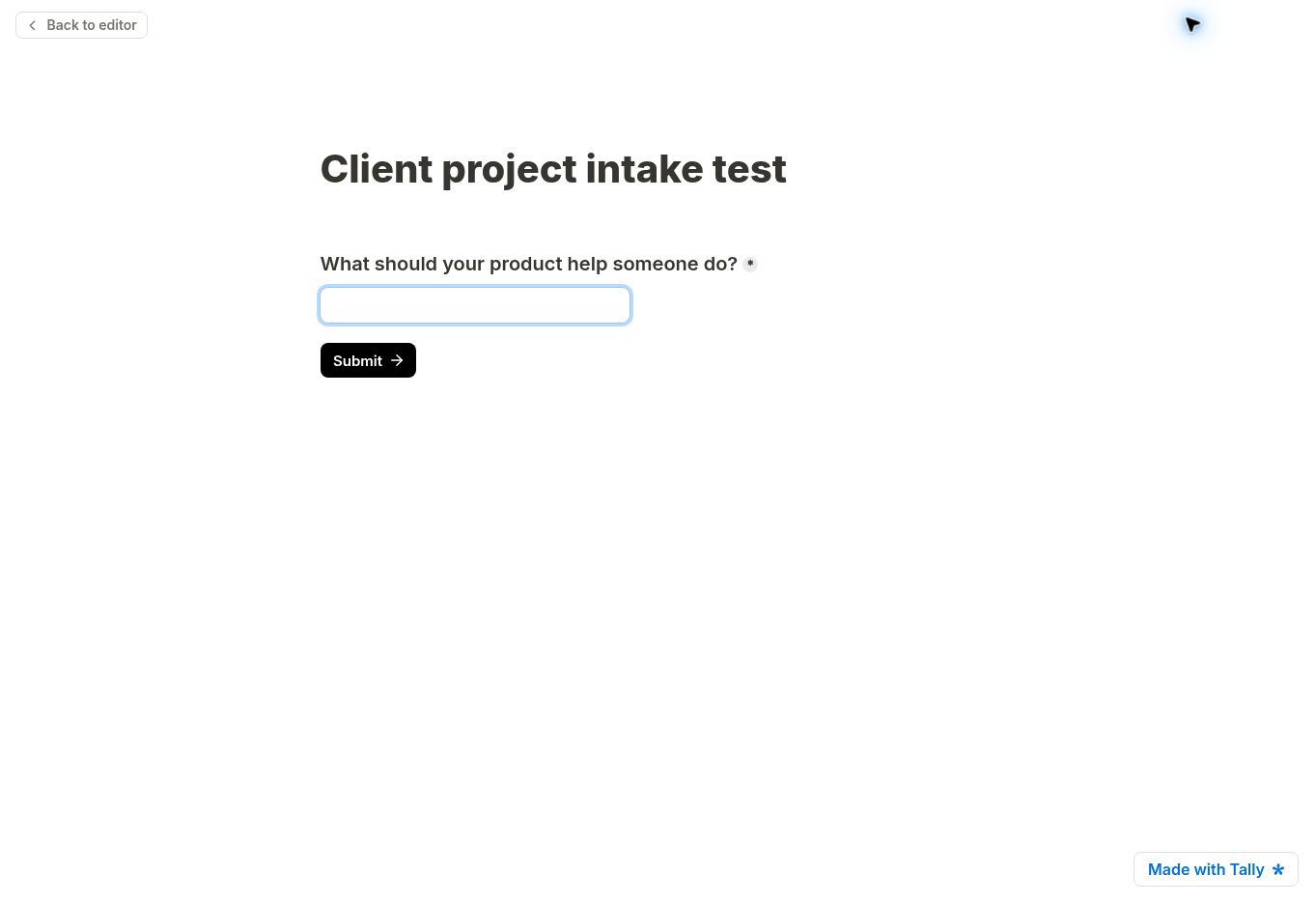
See the synthetic preview completion

Three different jobs are hiding under “AI forms”
Tally's integration documentation describes three capabilities worth separating: form creation, form management, and response analysis. Its MCP connection can create forms, change existing fields and settings, browse a workspace, and fetch submissions into a conversation. Tally says this connection is available across its plans. Authentication is still required; this does not mean a stranger can read a public form owner's responses. [2]
Those jobs have different stakes. Generating a first draft of a workshop survey is a relatively easy thing to review. Editing a live client-intake form needs more care, because changing a question can change the meaning of every later response. Summarizing an inbox full of inquiries is useful only if the summary does not erase the unusual request that deserved personal attention.
My preferred starting point is therefore deliberately small: use AI to prepare a draft, inspect the fields, and run a short set of known answers through it. Treat a working form as a business interface with a purpose, rather than a prompt result that looks finished.
What the free plan actually puts within reach
Tally's pricing page lists unlimited forms and submissions under its fair-use policy. Conditional logic, calculations, file uploads, webhooks, and several integrations are included in the free offering. Branding removal, custom domains, collaboration, partial submissions, and more advanced customization sit in Pro. Business adds features including automatic submission-retention controls and email verification. [3]
The practical implication is that a small team can investigate a real intake workflow before committing to a paid form-builder subscription. That is a useful starting condition, not a claim that an entire operating system is free. A destination CRM, automation service, AI plan, or ongoing implementation work can carry separate costs.
The words “unlimited submissions” also need their nearby qualification. Tally's fair-use policy explains that sustained usage placing pressure on its infrastructure can lead to a custom plan. For a small pilot, the important habit is to read that policy before designing a high-volume business process around a headline. [4]
Start with the decision, then write the questions
Consider a solo studio receiving inquiries for product tutorials. A long form asking for every detail might produce a thorough brief, but it also asks an early prospect to do a lot of work before there is any evidence of fit.
I would start with five inputs: product website, intended customer, the task the customer struggles to understand, approximate timing, and optional budget context. The form should explain why those answers matter. Email is necessary for a reply, but unrelated personal information is unnecessary at this stage.
The first question is not “How many fields can AI generate?” It is “Which answer changes what I do next?” If budget is unknown, that may trigger a scope conversation rather than an automatic rejection. If somebody wants independent editorial coverage, that should take a separate route from a paid production request.
Tally's conditional logic can show or hide blocks, require answers conditionally, and route respondents between pages. Its documentation also makes an easy-to-miss distinction: a page jump takes effect when the respondent clicks Next or Submit. A form that changes the wrong way in a preview can reflect a rule's placement rather than a missing product capability. [5]
Conversation is convenient. Events are the operating backbone.
There is a useful separation between an assistant you ask for an answer and a system that acts whenever a submission occurs. I would use the conversational connection for occasional questions such as, “Which inquiries are missing a clear customer task?” A recurring process needs a more explicit event and destination.
Tally's webhook documentation says a new submission sends a JSON POST to an endpoint. It offers a signing secret, an event log, and retry behavior. The endpoint must return a successful status within ten seconds; failed deliveries are retried on a published schedule. Those details matter more to a dependable workflow than whether a summary sounds polished. [6]
My implementation preference is to acknowledge receipt quickly, store the submission once, and process the next step separately. A stable submission identifier can help prevent duplicated work when a delivery is retried. That is an engineering recommendation based on the delivery model, not a claim that Tally automatically deduplicates a separate CRM for you.
A short pilot should deliberately include a failed destination, a retried event, and an incomplete submission. You want to learn how a missed handoff becomes visible before it happens to a valuable prospect.
A small workflow worth testing
| Step | Proposed behavior | Human decision |
|---|---|---|
| Collect | Ask for the product, customer task, contact, and optional timing | Keep the intake brief |
| Store | Put one record into a private queue with its original answers | Preserve source evidence |
| Classify | Suggest editorial, paid production, support, or unclear | Review ambiguous cases |
| Prepare | Draft a reply or a list of missing information | Approve before sending |
| Follow through | Assign an owner and a next action date | Close the loop |
This is intentionally a workflow with human review. A prospect's free-text answer can contain instructions, exaggerations, or irrelevant content. I would treat it as evidence to inspect, not as authority to change prices, send emails, publish content, or alter the operating rules.
For the first ten synthetic submissions, I would compare an AI suggestion with a human classification. Record the disagreement, the reason, and whether the error could cause a missed opportunity. This makes the test about judgment quality rather than the number of generated summaries.
The integration boundary is also a data boundary
Tally says its form data is encrypted in transit and at rest and stored in Europe. Its privacy documentation separately describes subprocessors and optional functions. Those statements describe Tally's service; they should not be stretched into a blanket claim about every destination connected to it. [7]
Once a response is copied to another application or brought into an AI conversation, that destination becomes part of the workflow you must understand. Tally's MCP FAQ says submissions are fetched when explicitly requested rather than preloaded. The appropriate follow-up is still to check the connected assistant's current settings and policies for the intended data. [2]
For an initial evaluation, synthetic responses are enough. A fictional company, a made-up project, and a test email can reveal broken routing without placing a real customer's confidential brief into several services. The useful operational questions are concrete: Who can read the queue? Which fields leave Tally? How long do copies remain? Who removes them when they are no longer needed?
Where a developer may still be useful
Tally also exposes an API. Its documentation specifies bearer-token authentication, a rate limit, pagination, and date-based versioning. It warns that updating a form's blocks requires sending the complete block set, because an omitted block can be removed. [8]
That is a strong reason to separate a quick conversational experiment from a production integration. If a workflow needs automated structural changes, create a duplicate test form first and verify the whole result. For ongoing synchronization, a developer can make failure handling, validation, and access checks explicit.
Most small teams should not begin there. If the job is simply to collect a structured request and put it somewhere a person will review, a native integration may be sufficient. Choose the least complicated route that makes a missed response visible.
Who should investigate it
Tally looks worth investigating when the immediate need is a flexible intake, feedback, registration, or research form, especially when the team wants to experiment before paying for form-builder features. The AI connection is more interesting when the questions around the answers change from week to week.
I would slow down when the proposed process depends on unattended AI decisions, extensive personal data, complex access rules, or an assumed guarantee that every downstream action will complete. Those requirements deserve a more demanding test than a polished demo.
The best next step is a narrow pilot: one form, one private destination, ten synthetic responses, and one person responsible for reviewing the queue. Judge it by whether the next decision becomes clearer and the handoff becomes more reliable. An attractive form is the beginning. The operational value appears when the right person acts on the answer.
What remains unverified
Account-level creation through the ChatGPT and Claude connections, automated form-edit fidelity, submission-analysis accuracy, saved submission persistence, real delivery latency, retry recovery, paid-plan behavior, and accessibility across representative devices have not been verified. These are specific tests still to run, not implied product failures. The hands-on portion of this investigation covers one question in the public editor and its preview flow.
Sources
- Tally changelog, August 27 and September 11, 2026 entries. Checked October 29, 2026.
- Tally MCP server. Checked October 29, 2026.
- Tally pricing. Checked October 29, 2026. Billing-toggle prices intentionally omitted because the text extraction does not establish the selected billing interval.
- Fair-use policy. Checked October 29, 2026.
- Conditional logic. Checked October 29, 2026.
- Webhooks. Checked October 29, 2026.
- GDPR and Tally. Vendor service description, not a legal conclusion. Checked October 29, 2026.
- Tally API. Checked October 29, 2026.