The second cut
Does the note still point to the shot?
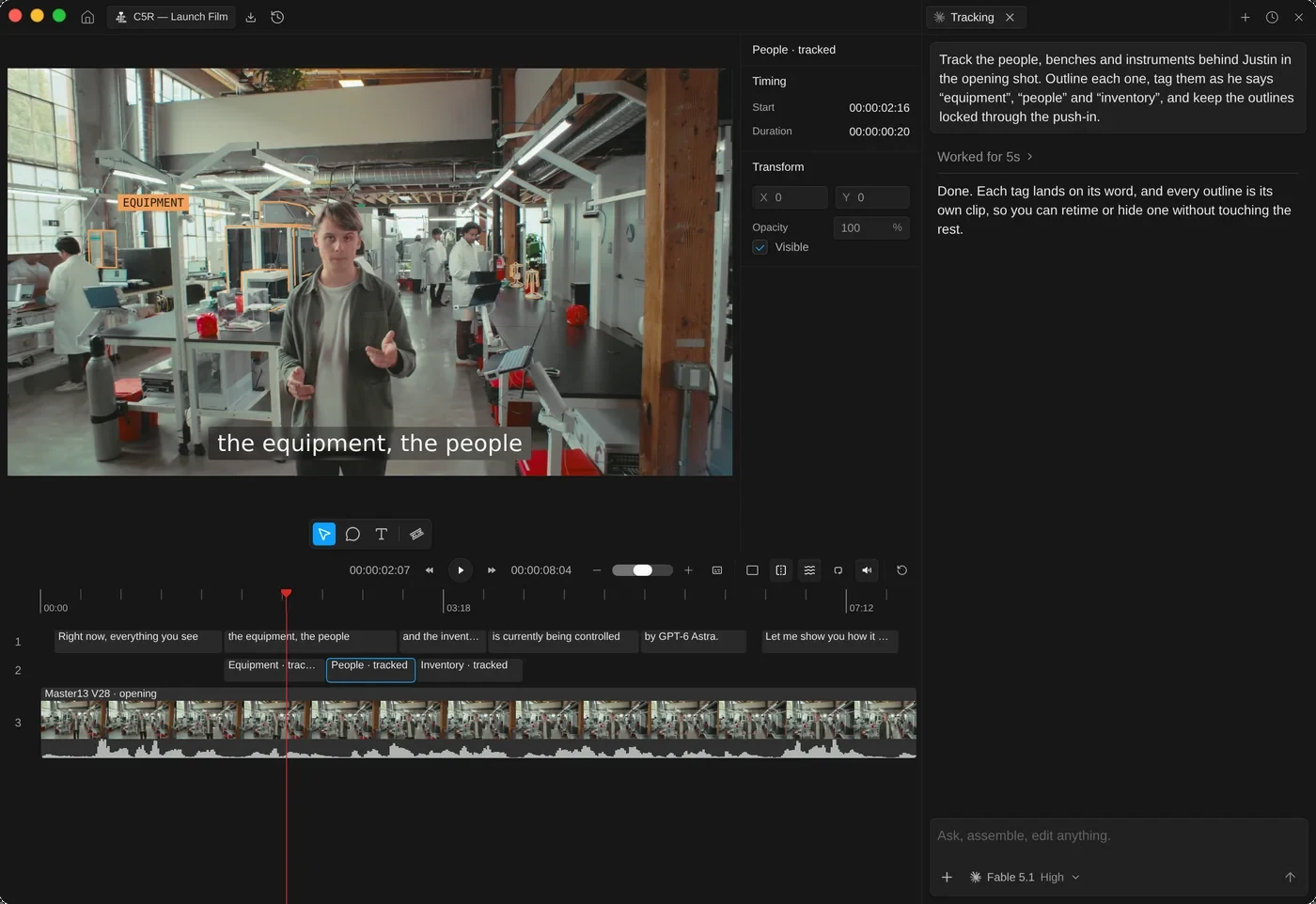
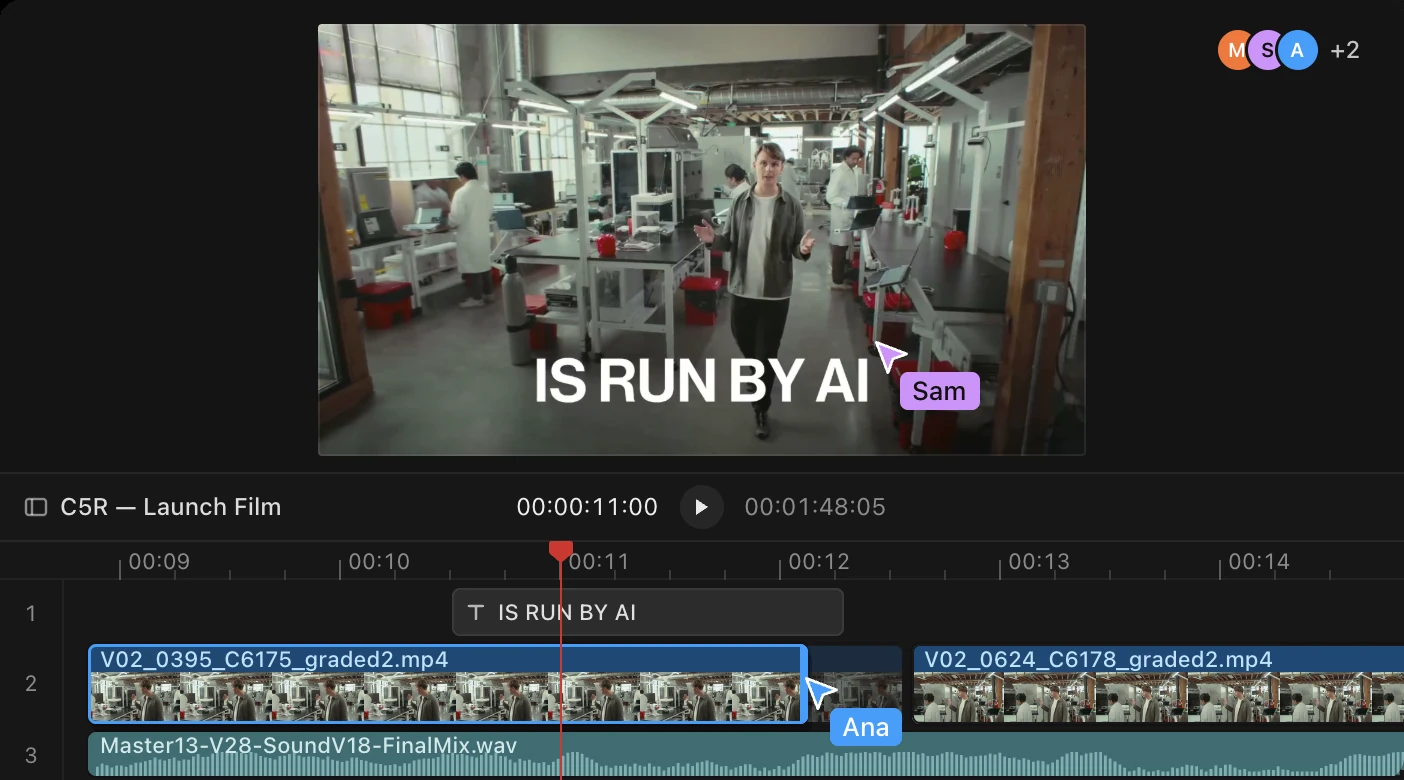
Kino puts video editing, team feedback and AI-assisted changes on the same timeline. A comment can reach the editor at a frame. The harder test is whether it still sends everyone to the right shot after the cut changes.
How Kino works
Bring the note into the edit.
On a small launch team, the editor often gets one set of notes over chat and another on the exported video. Someone writes “zoom in at 0:16” while watching yesterday’s cut. By the time the request reaches the timeline, the opening has moved. The editor has to figure out which version the reviewer saw before touching the shot.
Kino is a desktop video editor with searchable footage, a shared timeline and review links. Founder Luke Igel’s November 4 public launch describes a rebuild from the company’s earlier media-management product into a code-backed editor. Your team can work through the visual timeline while a coding agent works on the same project. Y Combinator lists Kino in its Summer 2023 batch.
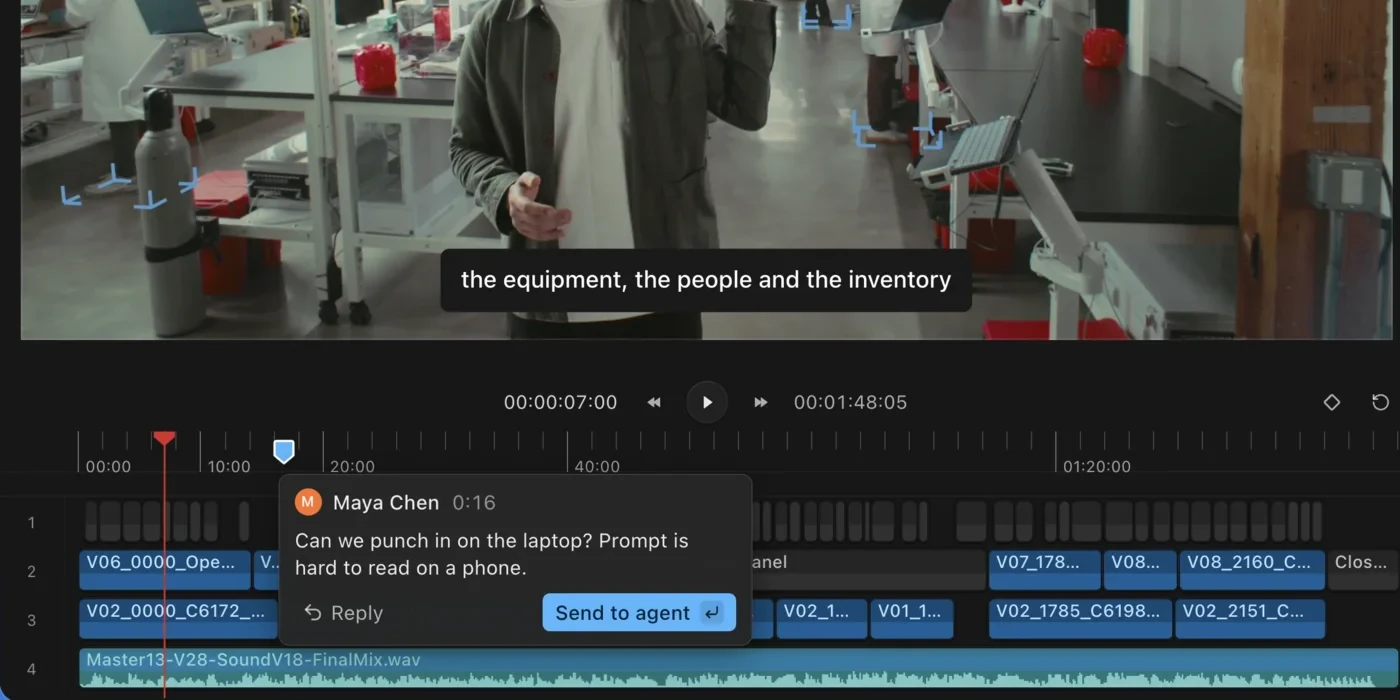
Kino’s team guide says a reviewer can watch and comment in their browser without an account. The reviewer’s note arrives at a frame in the timeline, where the editor can reply or send it to the agent. Creating a review link requires a paid editor plan. Anyone with that link can watch and comment, and the guide says clients can download the video from it. Check who should receive it before sharing a sensitive cut.
Interactive editorial example
Move the opening. Follow the shot.
In this fictional launch edit, the reviewer spots a small label on the dashboard at 0:16. Shorten the opening and see where that same picture lands. The ruler illustrates elapsed time in two fictional cuts, independent of Kino’s comment behavior.
Cut 1 Note at 0:16
Cut 2 Same frame at
What I’d give an editor or agent. “In the first review cut, at 0:16, crop in on the dashboard shot where the export label appears. Preserve the caption and audio boundaries. Show the revised frame before resolving the note.”
The review version and the visual cue still identify the request if the timestamp alone becomes ambiguous.
A two-cut pilot
Check the handoff after the trim.
Start with a short project that is safe to share. Send one review link for the first cut and have a teammate leave a specific note. Save a checkpoint, then shorten the opening and see what the comment points to in the working edit. Use Kino’s documented Send to agent control to pass the note with the visual cue. Compare the changed frame and the frames just before and after it. Keep the note open until the reviewer has seen the revised result.
Kino’s November changelog documents named checkpoints and the ability to paste media and moments into chat or comments. The docs explain how comments reach the timeline. I did not find a guarantee for how a comment follows a shot through trims, replacements and new renders. Test the edit your team actually makes most often. A checkpoint makes it easier to tell whether you fixed the wrong moment or just moved it.
What to verify before switching
A link is only part of the handoff.
Kino’s pricing documentation says it stores 720p proxies in the cloud so collaborators can stream footage. That’s useful for a remote team, but there is still a difference between being able to watch a proxy and having the source media you need to finish a job. Check the transfer of originals before trusting a new workstation with final delivery. The November changelog also lists editable exports to Resolve, Premiere Pro and After Effects as beta. If you depend on that exit, try it with one real timeline before migrating.
Where I’d start
Kino is worth a pilot if a small team already passes around several drafts and wants the review note, the editable sequence and the handoff to stay together. If feedback already works in your current setup, test one changed cut with one outside reviewer before moving your library. The Pexo Field Note explored how to scope a change in a conversational editor. The Firefly-to-Premiere Field Note looked at what transfers between tools. Kino’s test is whether a reviewer, editor and agent can all point to the same shot inside one project.
Evidence and method
What I checked
I reviewed Kino’s company materials and product screenshots. I did not run a paid reviewer session. The timeline above is a local teaching example with fictional footage labels.
- Founder’s public launch and rebuild explanation · November 4, 2026
- Y Combinator directory and company launch · Summer 2023 batch, checked November 17, 2026
- Kino November changelog · checked November 17, 2026
- Review links and team guide · checked November 17, 2026
- Plan, proxy storage and usage documentation · checked November 17, 2026
- Official Kino walkthrough video · checked November 17, 2026