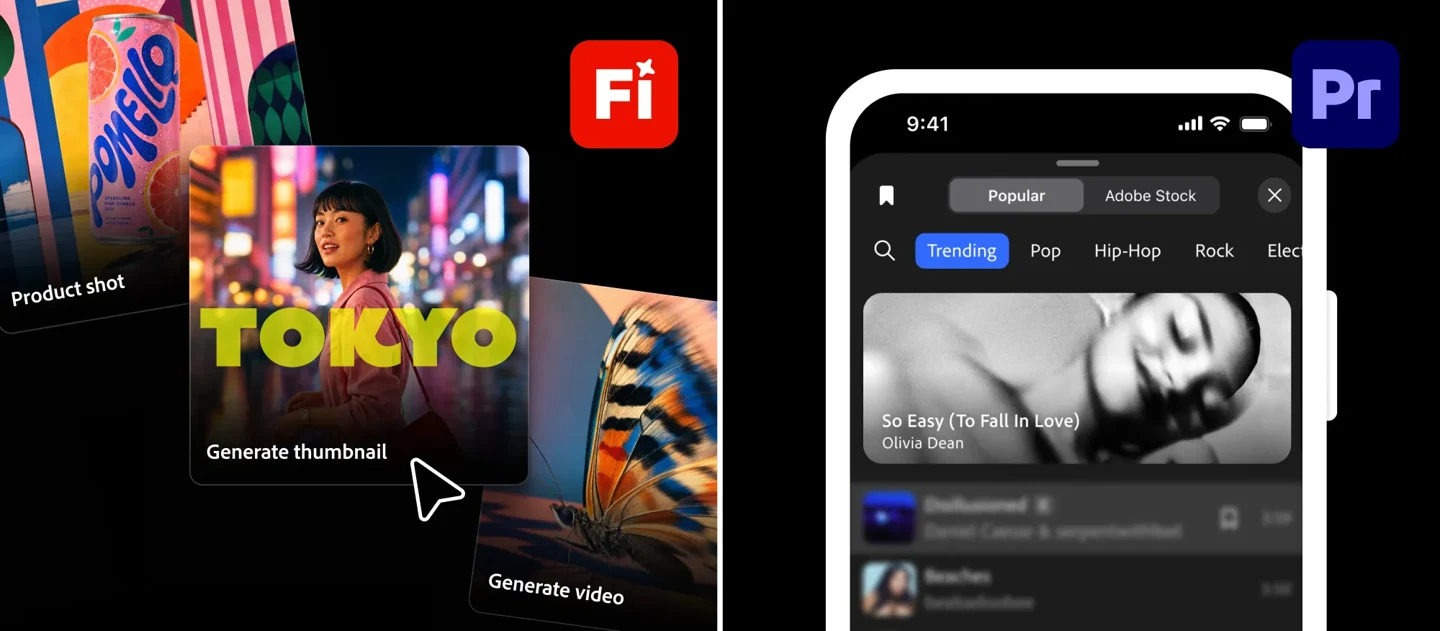
Adobe Firefly Video · MAX 2026
Will your first cut survive the handoff?
Adobe Firefly Video lets creators assemble and caption footage in a browser. The Timeline beta can send an editable sequence to Premiere desktop, where the details that matter to an editor are put to the test.
By Stephen Stilwell · Analysis based on Adobe’s release and documentation
The November 10 update
Firefly takes on the rough cut.
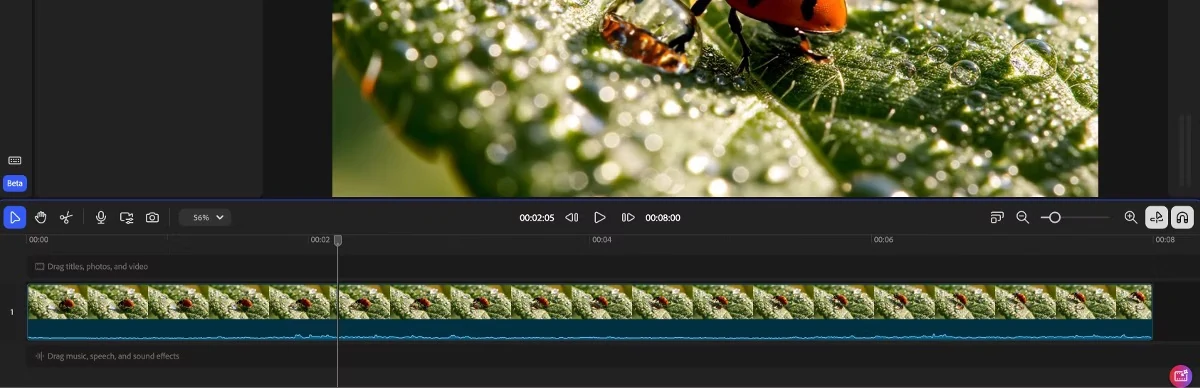
Adobe’s November 10 MAX announcement expanded Firefly’s video tools for planning a story, arranging clips on a timeline, adding captions and generating supporting footage or transitions. Timeline is documented as a beta. The interface has a playhead and tracks for the media you assemble, so there is a project to revise after the initial idea takes shape. [1] [2]
Think of a small product team making a release walkthrough. The person who knows the product can arrange screen recordings and narration while the feature is still fresh in their mind. The editor can then refine the pacing in Premiere. The handoff is valuable if the editor receives the order and intent of the cut with enough detail to continue.
A rough cut can also make visual choices that are easy to approve and hard to reproduce. A title is aligned to a button. A voiceover starts just before a screen changes. A caption fits above an interface label. A single frame tells you those choices exist. Only opening the sequence in the destination tells you which ones made it through.
Adobe describes automatic captions from speech, styling and positioning in the browser, and an option to export an SRT subtitle file. Use that file as a separate record of the words and timing if captions are central to the piece. Keep a reference of the styled version too, since the subtitle file serves a different purpose from the rendered composition. [3]
Inside the browser editor
The timeline carries the story.
Once you can point to a specific cut, a review becomes concrete. A teammate can explain where the product first appears, where the pace drags and which clip should stay.
- Firefly VideoAssemble the rough cut
Set the shot order and keep the source footage available.
- HandoffSend the sequence
Carry a reference render and identify any details that must survive.
- Premiere desktopVerify the import
Compare playback with the reference before committing to the finish.
The documented workflow
What reaches Premiere?
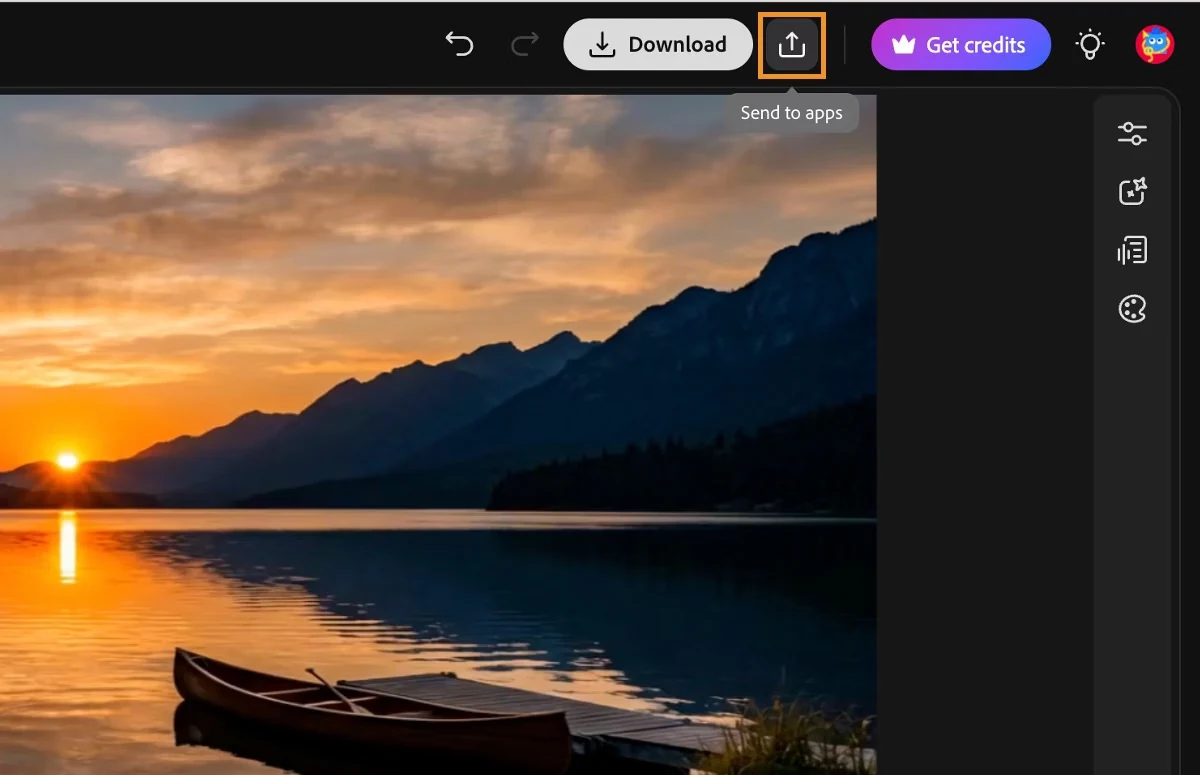
Firefly’s Send to apps menu sends the timeline to Premiere desktop. Adobe requires both apps to use the same Adobe account. In Premiere, the project can be opened from the notification or retrieved later through File → Import Web and Mobile Projects. [4]
Picture and timing
Adobe documents the transfer of supported media and clip attributes into a new sequence. Check cut points and clip order against the browser version before you start trimming in Premiere.
Text and captions
Title positions and scale can shift. Fonts need to be available in Premiere, and Adobe lists some captions and text properties among the elements that may transfer differently.
Sound and effects
Effects, transitions and enhancements can change on import. Adobe specifically warns that separated audio may come in as a missing file while the original video arrives muted.
Source for transfer behavior and limits Adobe Help, November 10 [4]. Confirm the receiving editor can open the project under your team’s normal account setup.
Proposed import review
What has to survive?
Build a review list around the parts you would otherwise discover late. These are fictional project scenarios with editorial test criteria.
Keep the sequence editable
Use two screen recordings and a short product close-up. Record the time when the main action becomes visible so the editor can check it after import.
0 of 3 reviewed
Changing scenarios clears your checkmarks. Copy a checklist before switching if you want to keep the review.
A first project
Test on a scene worth finishing.
Try a short excerpt from a project whose assets your team can use. A software demo works well because you can judge the exact moment a feature changes state. Arrange the screen recording and supporting footage, then add one caption or title with the font and placement the finished video needs.
Keep the original media and a reference render before sending. Make a note of the important cuts and the expected sound at each one. In Premiere, inspect the imported sequence before anyone alters it. When a caption wraps differently or dialogue goes missing, the reference tells you whether the change happened during the handoff.
If the final edit depends on separately recorded dialogue, include that dependency in the first trial. Save the source audio with the project assets and verify the expected track plays from the beginning to the last cut. A review that only scrubs the picture can miss a muted clip.
Judge the workflow by the time between a rough cut you can approve and a sequence an editor can finish. Include time spent finding missing media and rebuilding titles. Those costs matter even when the first assembly is quick. If the editor has to rebuild the same layers on every job, do the finish-critical work in Premiere earlier.
Firefly Video’s Timeline beta is worth a pilot for teams that already finish in Premiere and want more people to participate in the rough cut. Start with a sequence where shot order and story are the main things the editor needs to inherit.
For a caption-heavy campaign, a dialogue edit or a project with strict typography, use the import check before promising the workflow to a client. Beta support can change. The decision depends on the actual elements your project uses and the Premiere environment that receives them.
Our Pexo Field Note looked at how to specify a revision inside a conversational editing workflow. Our Cardboard coverage looked at the first cut. Firefly adds a handoff question: after someone approves the rough version, can another editor make the next change without starting over?
Primary sources · Checked November 11, 2026
Read Adobe’s release and guides.
This Field Note is based on public Adobe materials. The workflow and checklist are proposed tests. No Firefly-to-Premiere import was performed for this article.
- Adobe MAX Firefly expansion
November 10, 2026. Firefly Video capabilities and beta status.
- Create a timeline
Updated November 10, 2026. Timeline behavior and official screenshot.
- Generate captions from speech
Updated November 10, 2026. Caption generation, styling and SRT export.
- Send videos to Premiere desktop
Updated November 10, 2026. Same-account setup, transfer steps, documented exceptions and official screenshot.
- Adobe’s Firefly and Premiere launch overview
November 10, 2026. Launch artwork and context for the wider video announcements.