
Your work has a memory.
Now you can search it.
The meeting ended. The context kept moving. Driffle wants to connect the work you saw, said, and read into an answer you can trace.
By Stephen Stilwell · Published and verified October 17, 2026
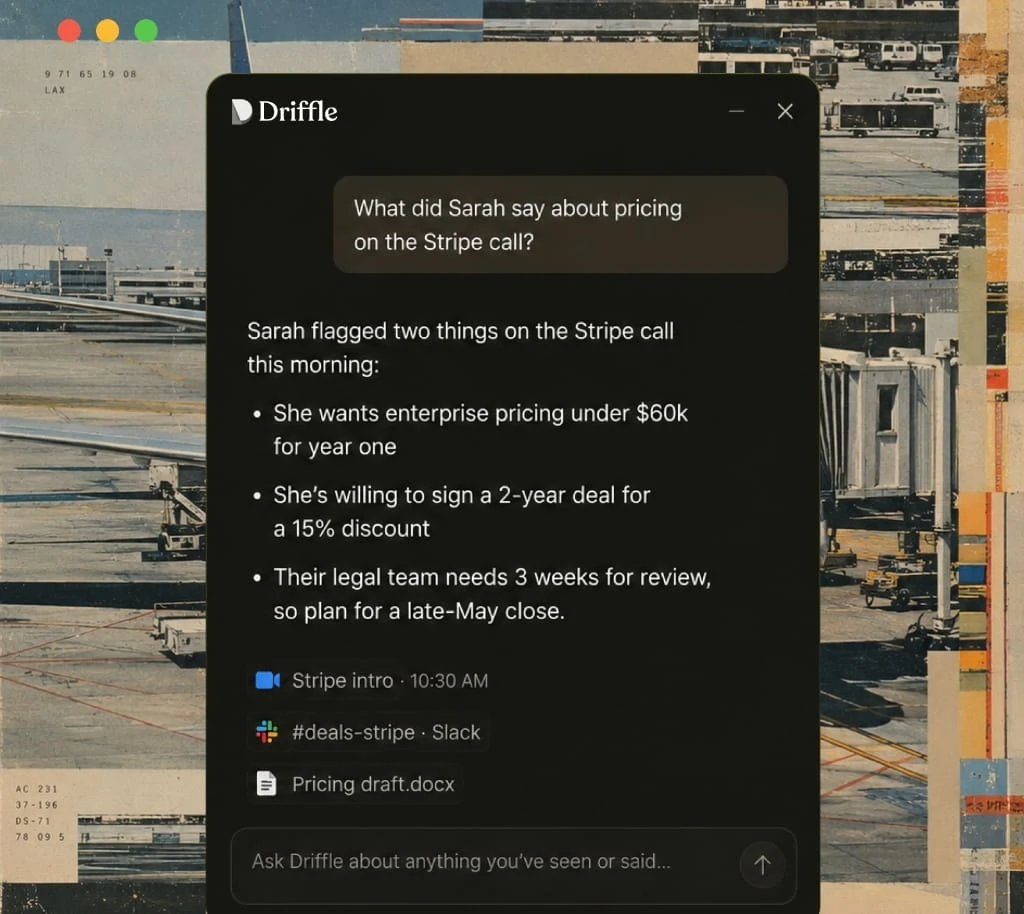
You were there.
Why are you looking for it again?
Someone raised a pricing concern on Monday. Sales floated a discount on Tuesday. Product changed the release date on Wednesday. By Friday, you are reconstructing the story from five different places.
Writing better meeting notes helps. It still leaves the document that changed afterward, the objection in a message, and the decision buried in a design review. That gap is what interests me about Driffle.
Its pitch combines bot-free meeting capture with visible screen context and retrieval across that history. The useful outcome is a recoverable explanation: what changed, who said it, and which source supports it. A confident answer without that trail is another thing to check.
One memory.
Four ways to use it.
The company’s own visual examples, preserved intact. Select a feature, inspect the highlighted detail, then enlarge the image.
Can you remember
an entire project?
A fictional launch. Five days. Several places where the story changes. Explore the records, then ask a question.
The lesson: a proposed discount is different from an approved discount. Missing evidence should stay visible.
Where does work memory
actually matter?
Choose a role. These proposed workflows use the product’s documented concepts; outputs still need review.
From something someone said to something you do.
Explore the conceptual pipeline. Capturing context and drafting an answer do not establish permission to act.
Is Driffle worth letting
into your workday?
A compelling idea for people who repeatedly reconstruct decisions.
I would shortlist Driffle for a Mac-based founder or operator whose work crosses calls, documents, and conversations. I would make source accuracy and capture controls the buying test. If your main need is a clean meeting recap, start by comparing simpler meeting tools.
This is an evidence-based evaluation. Note quality, retrieval accuracy, battery impact, onboarding friction, and real-world reliability remain untested here. Strong marketing examples do not establish those outcomes.
What earns attention
Context beyond the call. A later document edit can change the meaning of an earlier discussion. Retrieving both could make an answer more useful.
References beside the answer. Source links give the user a way to inspect attribution and scope. Test whether the referenced passage actually supports the claim.
Several entry points. Chat, meeting notes, briefings, and the floating Drift window offer different ways to reuse context.
What earns a closer look
Observation has boundaries. Unseen documents, excluded apps, missed calls, and work outside the captured history create gaps. A unified memory can still be incomplete.
Past and present can collide. Ask it to distinguish a proposal from approval, and a superseded deadline from the current one.
Adoption is part of the product. A team needs clear expectations about capture, sharing, and permission before installing a tool that observes work.
Privacy: the specific architecture matters.
Driffle’s privacy documentation describes on-device audio capture, cloud transcription through Deepgram, and US AWS storage. Its detailed FAQ says local transcription is not available. It says raw audio is discarded within 60 seconds, while transcripts and notes are retained. AI processing is described as AWS Bedrock, with no training on customer content.
Published controls include pause, app exclusions, export, and deletion. Account deletion is described as a 24-hour primary-storage purge and up to 30 days for backups. Engineers can access production for incident response. Encryption in transit and at rest therefore should not be read as cryptographic end-to-end encryption that excludes the service operator.
The company says it has no SOC 2 or ISO 27001 certification and does not sign HIPAA BAAs. Avoid PHI. Obtain workplace permission and participant consent as appropriate. This article does not independently attest to Driffle’s security practices.
Unresolved contradictions to ask Driffle about
- Hardware: the homepage download targets Apple Silicon; pricing also mentions Intel. Confirm your exact Mac and macOS version. Windows is described as roadmap.
- Activation: pricing describes all-day automatic context; privacy says the user starts capture. Verify each mode’s activation and pause behavior.
- Retention: pricing’s searchable-history windows differ from privacy’s account-lifetime storage description. Cancellation copy also alternates between indefinite preservation and 30 days. Search availability and storage are different questions.
- Deployment: pricing advertises self-hosting; privacy limits the current offer to Driffle-operated private AWS tenants for 200+ seats. Customer-operated hosting remains roadmap there.
- Calendar and integrations: pricing mentions scheduling; privacy describes read-only calendar access and no calendar writes. Confirm actual connector permissions and outputs.
- Screen data: visible text capture is described, but screenshot persistence, capture frequency, extraction/redaction behavior, and exclusions need a clearer technical account.
Sources: homepage, pricing, privacy. A roadmap promise is not a shipped capability.
The trial I would run
- Use a non-sensitive project. Review capture and exclusion controls first.
- Record the same decision in a call and a later document revision.
- After several days, ask what changed, who approved it, and what remains unknown.
- Open every source. Check dates, speaker attribution, ownership, and missing evidence.
- Try export, selective deletion, pause, and a deliberately excluded app.
Meeting notes, connected search,
or work memory?
These categories overlap. Granola now describes briefings and chat; Fireflies extends into email and CRM. “Everyone else only does transcripts” would be an outdated comparison.
| Approach | Useful starting point | Question before choosing |
|---|---|---|
| Driffle | Visible screen context plus meetings and retrieval | Does captured history cover the decision, and are the sources right? |
| Granola | Bot-free notepad, chat, pre-meeting Briefs | Is meeting-centered memory enough for your workflow? |
| Fathom | Meeting recording, transcription, summaries, follow-ups | Which capture mode and integrations fit your calls? |
| Otter | Meeting transcription and AI-assisted meeting workflows | What are the current minute, archive, and sharing limits? |
| Fireflies | Meeting intelligence with email, chat and CRM workflows | Which sources and capture methods are supported on your plan? |
| ChatGPT | Reason over material from supported connected apps | Do plan, app permissions, and source coverage fit? |
| Claude | Research and drafting with connected tools | Which integrations and permissions expose the needed context? |
These are links to each vendor’s own documentation or product page. No comparative accuracy or security benchmark was conducted. ChatGPT and Claude can use connected sources; they are not limited to pasted text.
How much memory
do you need?
Published USD prices, before tax. Driffle’s pricing page is labeled September 2026; checked October 17. This selector is editorial guidance, not a quote.
Published searchable history: Free four weeks, Pro one year, Max ongoing history, Team one year; Enterprise custom. Paid plans advertise unlimited meeting notes, but “most meeting hours” also appears in Max copy. Exact advanced-question quotas are unpublished. Confirm limits, billing basis for Team, and retention before purchasing. Official pricing ↗
Stop selling notes.
Start showing recoverable decisions.
My positioning recommendation: lead with the question people are already trying to answer. “Who approved this?” gives the product a concrete job. “An AI second brain” asks the buyer to imagine one.
The initial wedge
Start with founders and product operators running active launches. A changed deadline and an ambiguous approval create a natural demonstration. Use a non-sensitive sample project during onboarding, then let users test a real decision trail.
Sales and customer success offer a second wedge: a commitment remembered before the next call. Agency work has a useful revision-history story, but client permissions can make capture harder to adopt.
The barrier is trust
The broad promise creates broad questions. Show what was captured, what was excluded, and what the answer cannot establish. Resolve conflicting platform and retention copy before trying to scale paid acquisition.
Use-case onboarding, referral incentives, and shareable briefing templates are opportunities to test, not programs I have verified Driffle already offers.
| Audience / channel | Campaign | Validation |
|---|---|---|
| Founders / LinkedIn and operator newsletters | “Who approved the discount?” Show request → proposal → missing approval. CTA: inspect a source-backed answer. | Qualified sample-project activations, then return visits to retrieve a decision |
| PMs / search and workflow tutorials | “Why did the launch move?” Demonstrate a superseded spec and a current decision. CTA: test one project. | Use-case signup conversion and successful source-verification tasks |
| Sales / creator-led demos | “Before you promise it again.” Compare an old call with a revised commitment. CTA: prepare the next account brief. | Demo completion, trial activation, and verified brief reuse |
How would you explain Driffle in 30 seconds?
What would it remember
for a creator business?
My work moves between startup research, product documentation, Field Notes, creative planning, and partnership conversations. The useful question is often: “What did we agree to show, and what changed since then?”
Read the product
Preserve the feature claim and the date it was checked.
Discuss a pilot
Separate a proposed deliverable from an approved commitment.
Plan the demonstration
Reconnect the creative angle to the real interface.
Recover the latest brief
Draft a source-backed update, then review and send it personally.
Hypothetical application to Useful in Practice. No private messages were used, no accounts were connected, and I am not claiming actual Driffle use. A draft is a proposed output, not an automatic send.
You were there.
Show the missing context.
Independent speculative concepts for 30–45-second creator videos. Real product operation would require a separate authorized recording session.
A few direct answers.
What is Driffle?
A Mac work-memory assistant combining meeting notes, screen context and retrieval. Its official product presentation includes Chat, Meeting Notes, Routines and Drift.
Is Driffle a local-only AI tool?
No. The detailed privacy FAQ describes cloud transcription and cloud storage. Confirm the current architecture and permissions before using sensitive work.
Is this a hands-on Driffle review?
No. It evaluates public documentation and official product imagery. The Lab uses authored fictional records and deterministic answers.
Is there an affiliate or creator program?
No public program or approved affiliate relationship was verified during this review. Links go directly to Driffle. General business inquiries can use its publicly listed hello@driffle.ai address.
Who founded Driffle?
A founder identity and funding history were not sufficiently verified for this article. The official site identifies Driffle, Inc. and describes a Mac beta with early users. Those are company descriptions, not independent traction evidence.
Your product has a story
worth showing.
I turn software workflows into clear product stories: interactive demos, independent reviews, tutorials, launch content, GTM analysis, and creator-led SaaS UGC. Commissioned and sponsored work is disclosed.
Sources & editorial boundaries
Primary keyword: Driffle AI review. This page addresses product evaluation intent through features, documented limits, price and alternatives, rather than a claim to measured search volume.
- Driffle homepage and its four official product images: Chat, Meeting Notes, Routines, Drift.
- Pricing and privacy / trust, checked October 17, 2026. Unresolved differences are identified above.
- Official use cases: leadership, product and engineering, client-facing work, creative teams.
- Company research: PM notes, customer onboarding, decision logs.
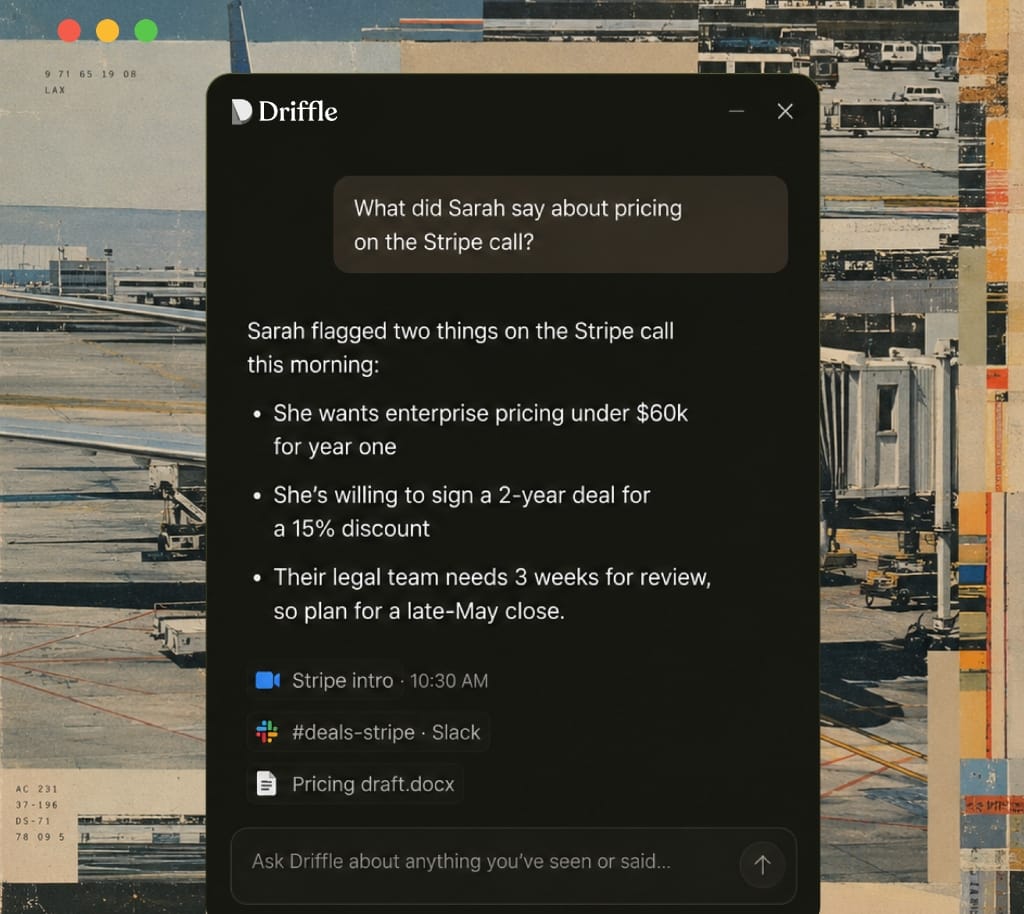
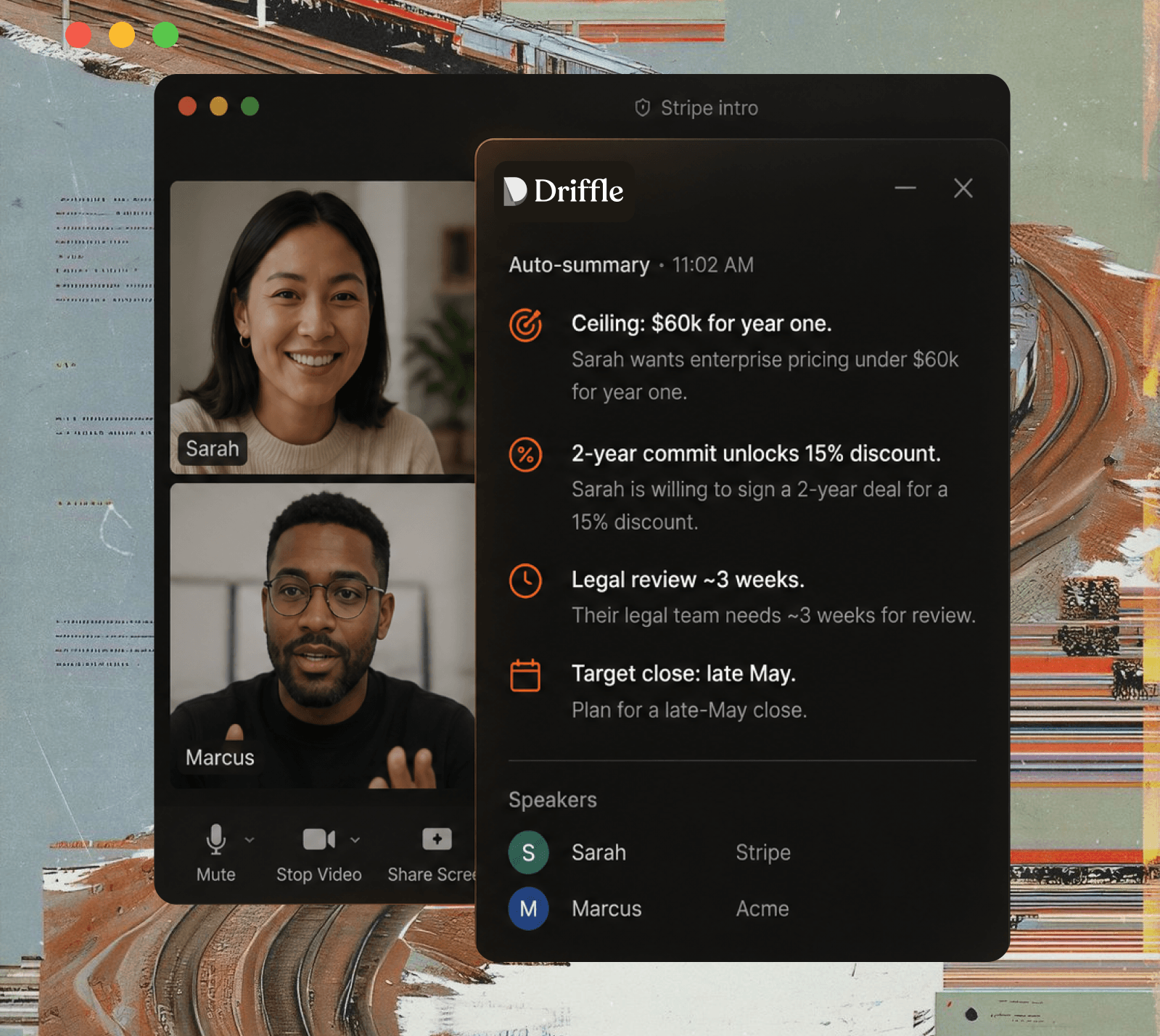
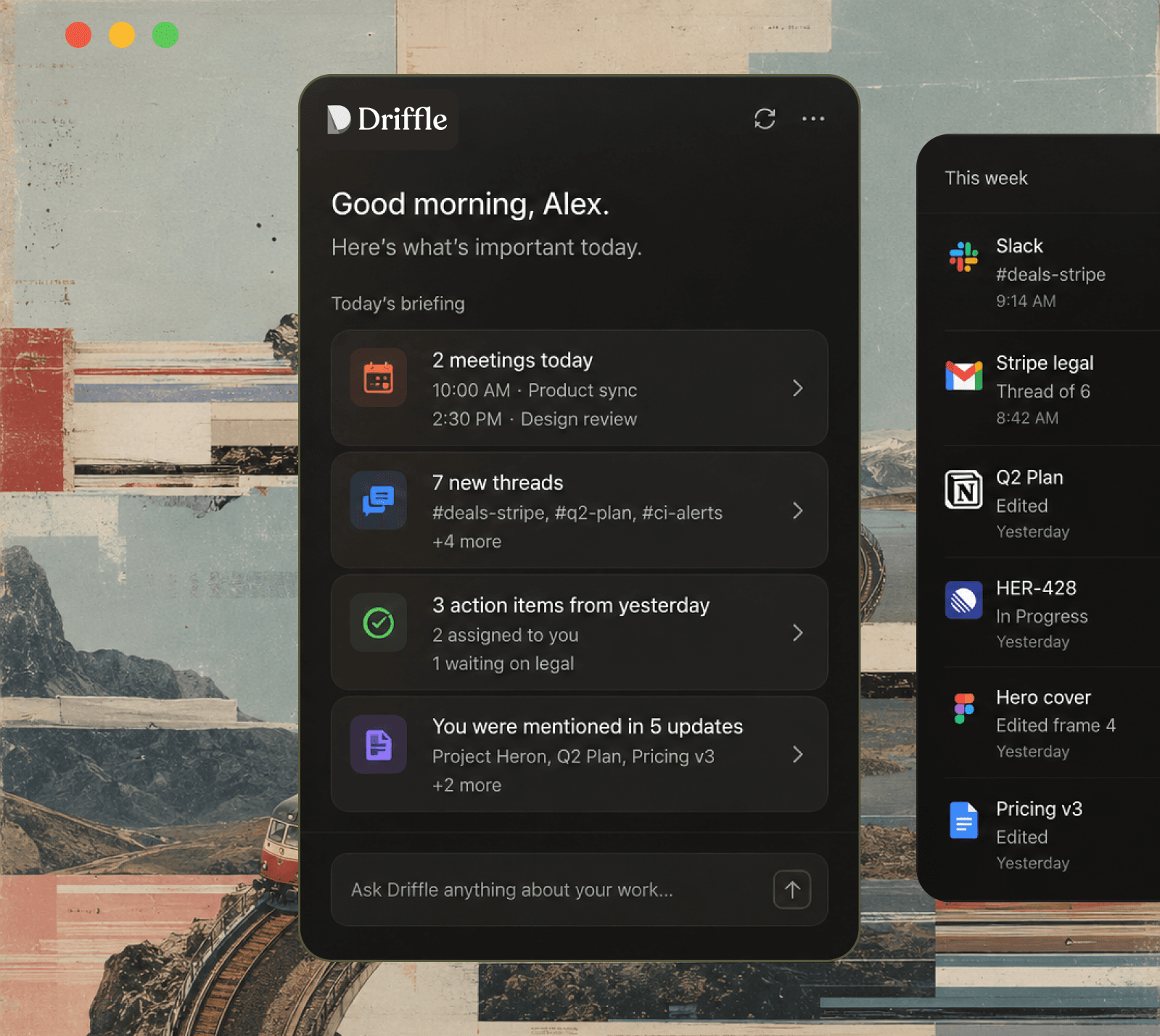
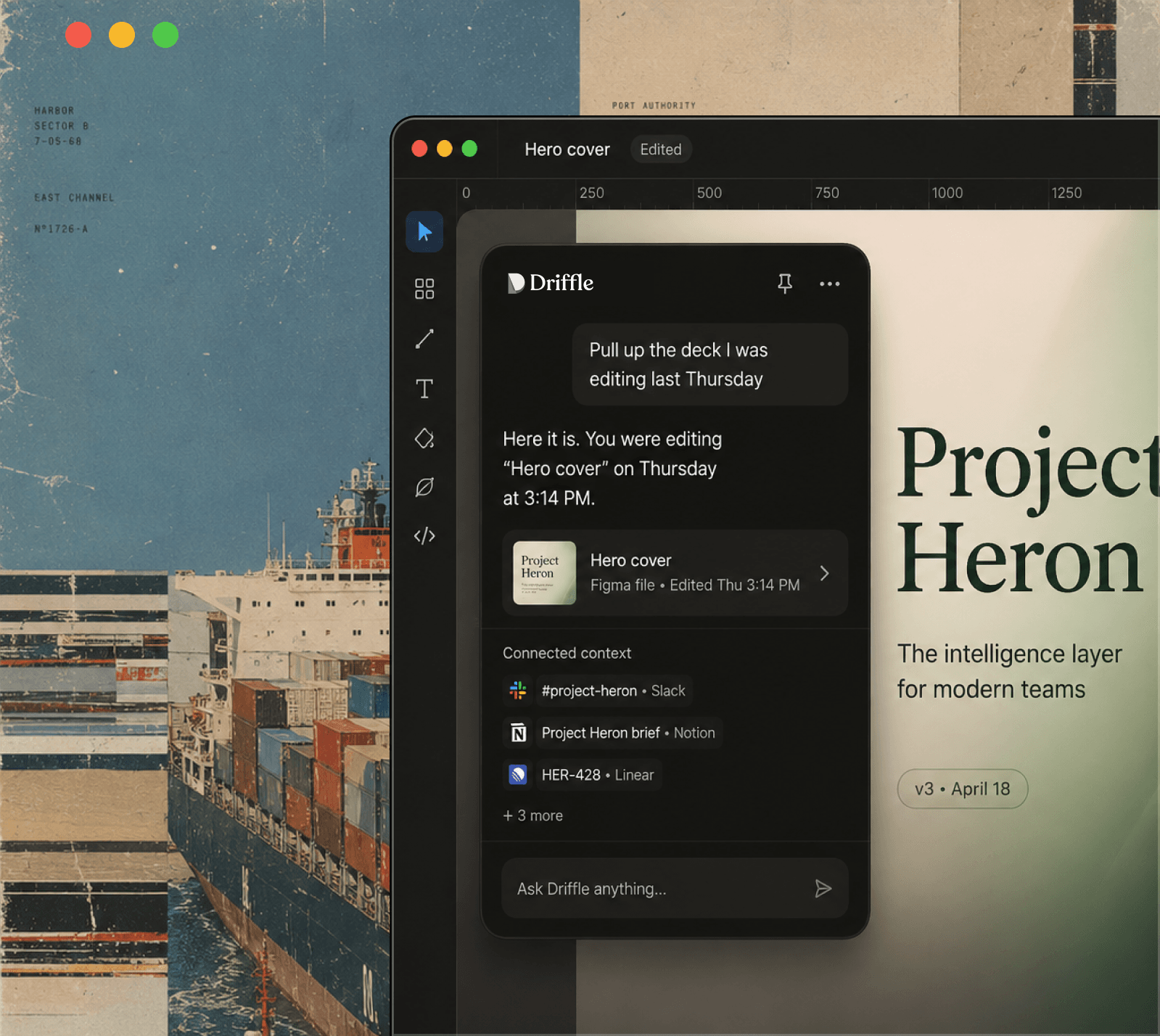
Competitor sources are linked in the comparison table. Screenshots illustrate the vendor’s presentation, not independently verified results. GTM concepts and workflows are my analysis. No unverified customer metrics or testimonials are used. Editorial policy ↗