Databricks Genie · Independent Field Note
What deserves an interruption?
Databricks Genie is an AI assistant that works across company data and connected apps. Its November 11 update introduces ongoing jobs and a priority inbox. The test is what it brings back to you.
Try the decision desk
The inbox is part of the product.
Before a launch, a product lead may have to compare an issue tracker, a release checklist and a document full of late edits. Each source can be right about its own piece of work. The costly part is finding the one change that affects whether the launch goes ahead.
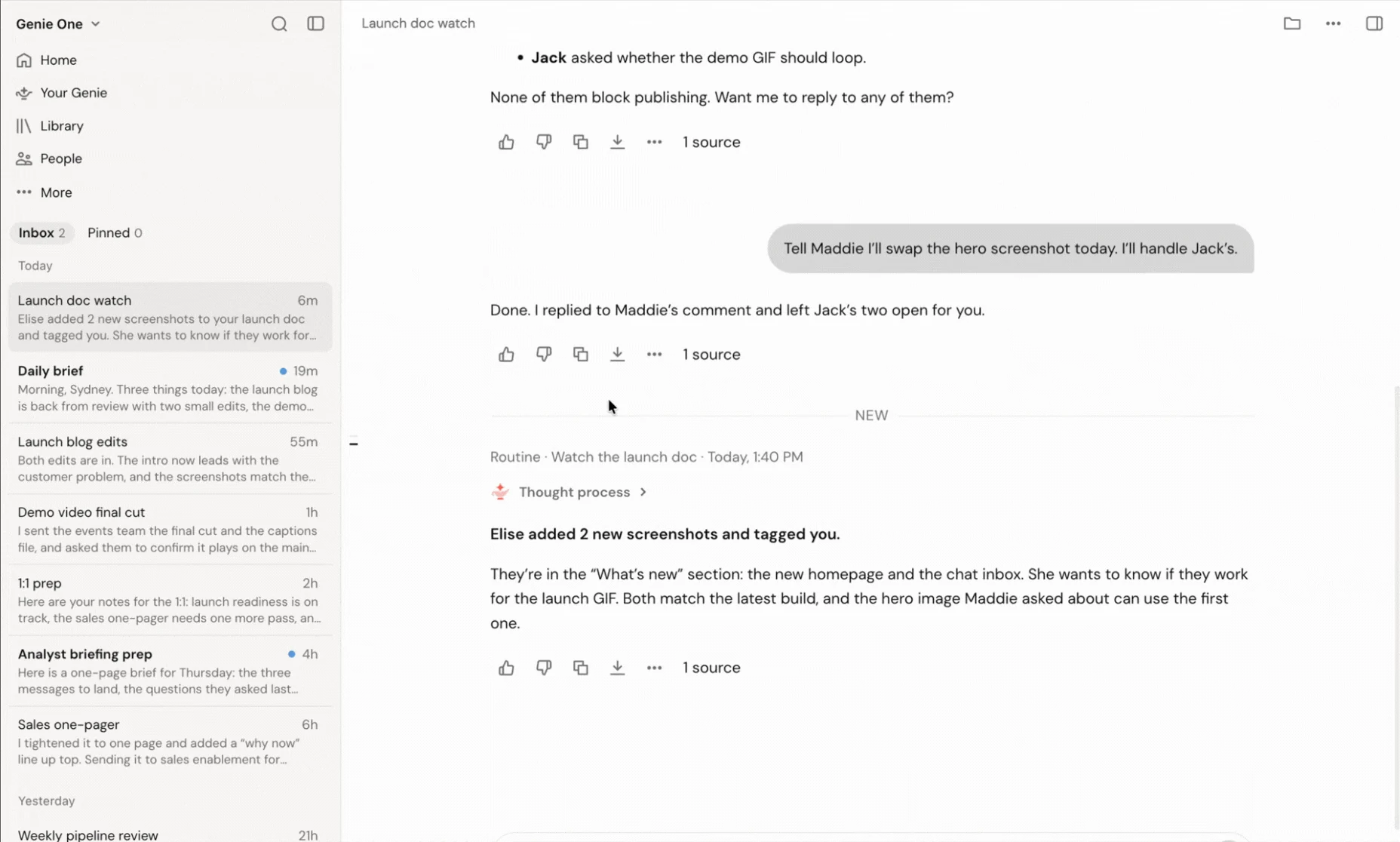
Genie One already offered scheduled prompts that return results in a thread and by email. The November 11 announcement describes a broader job. Genie can follow a goal across runs, delegate parts of the work to subagents and request a decision through a priority inbox. Databricks says jobs can run on a schedule or respond to triggers. Its launch material shows a scheduled document watch. Check the specific trigger and controls in your workspace before relying on them.
That distinction matters if you already get a daily digest. A digest summarizes a window of time. A job that tracks a decision needs to know whether anyone acted on the last alert and whether the evidence has changed since. A useful inbox makes that history easy to see.
Interactive · Fictional launch
The decision desk
Choose a change from a Friday product launch. See what a good monitoring job would collect, who should get it and when the issue should come back.
Launch copy editedInclude in digest
The headline changed after copy review. The approved offer, launch date and eligibility stayed the same.
- Evidence
- Compare the edited copy with the approved offer and save the document revision.
- Recipient
- Include one line in the launch lead’s next digest. Keep the record available if someone wants the full diff.
- Reopen when
- A revision changes a promise or deadline. Show the exact language that changed.
Blocker reopenedAsk for a decision
QA reopened the billing-copy blocker after the checklist was marked ready. The launch decision is due this afternoon.
- Evidence
- Link the ticket transition and the older checklist revision. Include both timestamps and identify the checklist as older.
- Recipient
- Ask the named launch lead to hold or accept the exception before the decision deadline. Record their answer.
- Reopen when
- A reviewer changes the blocker or its acceptance criteria. Additional comments alone stay in the thread.
Tracker unavailableFlag missing evidence
The checklist says ready. The tracker connection failed, so the job cannot confirm the current blocker status.
- Evidence
- Keep the last successful read and record when the new read failed. Mark the current status unknown.
- Recipient
- Tell the job owner if the missing read crosses the agreed decision cutoff. Ask for a manual check.
- Reopen when
- Access returns and the current tracker state can be compared with the checklist.
Editorial scenarios for setting acceptance criteria. The desk runs locally and shows no Genie outputs.
A source can be current and still be wrong for the decision.
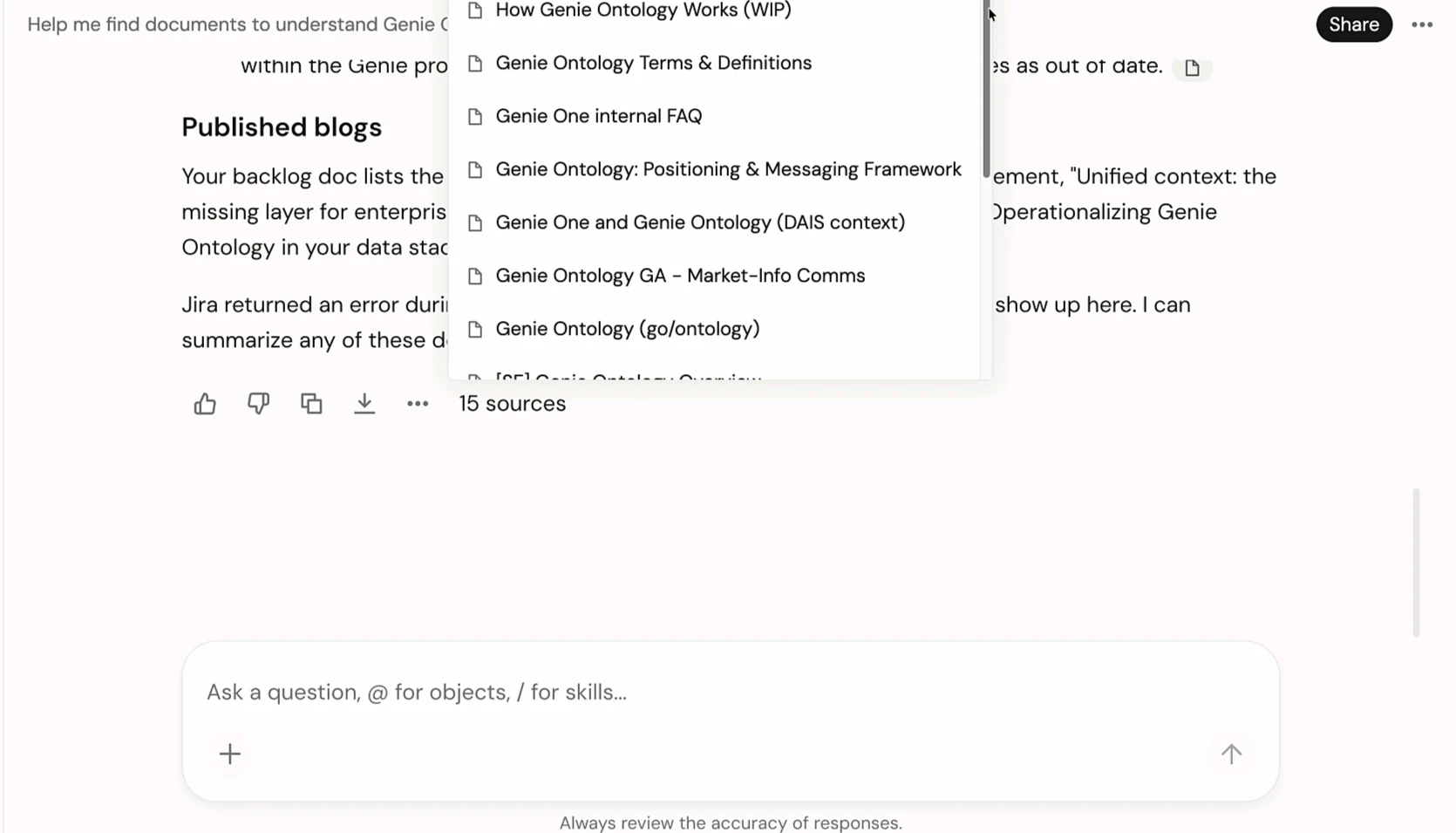
In the example above, a current planning document may still call the release ready after a blocker reopens. A search result can find both records and give you links. Your launch process has to say which record owns blocker status, which role accepts exceptions and when that rule changed.
Databricks describes Genie Ontology as a shared layer for business definitions, modeled relationships and context learned from enterprise assets and usage. November release notes list both Ontology and Genie Search as generally available on AWS. Genie Search combines indexed content with other retrieval paths described in the launch, including live queries through connected tools. In a pilot, include the timestamp and authority of each source you expect Genie to use. An indexed note and a live ticket read can answer different questions.
Databricks describes tracing and tool policies in Unity Gateway. Inspect those settings with the workspace admin. A permission tells you whether the assistant can see a ticket. A policy tells you whether it may change it. Your team still has to decide whether the evidence warrants an update.
A practical first run
Give it a launch watch.
Start with one internal release, one person accountable for the go/no-go call and read access to two approved sources. Agree on the expected outcomes before you turn on notifications.
- Set the ruleThe tracker owns blocker status. Record the approved exception separately with an owner and deadline.
- Replay changesStage the three cases above. Repeat the reopened ticket and check that a second run handles it consistently.
- Read the receiptCompare the source timestamps, missing reads and routing with the record your launch lead expects.
Open a sample job brief
Watch the launch checklist and issue tracker on weekdays until the release closes. Use the tracker for current blocker status. Keep cosmetic document changes in the next digest. If a blocker reopens after a ready decision, ask the launch lead for a call and show both revisions. If the tracker cannot be read by the cutoff, report that blocker status is unknown. Keep the tracker and external channels read-only.
For each escalation include the source links, timestamps, changed fields and the person responsible for the next decision. Keep unchanged alerts in the existing thread where the workspace supports that behavior.
Start where the team already agrees.
For a team with a clear source of truth and a recurring cross-tool review, Genie could remove the work of watching for changes and assembling context. That is where to compare it with the existing process. Count unnecessary interruptions and missed exceptions. Time the reviewer from opening an alert to making a decision. Read the trace when the output surprises you.
If the job checks one source against a fixed threshold, compare it with the alerting tool you already use. If two teams disagree on who can clear a blocker, settle that first. An assistant can surface that ambiguity every morning and leave the underlying dispute untouched.
Keep Genie read-only until the team can explain why an alert fired, find the source record and predict what happens when the evidence is unavailable. A pilot passes when the launch lead can make the same call from the alert that they would make after checking the underlying tools.
Sources and visual evidence
Independent analysis based on public material reviewed November 12, 2026. Product images are stills from Databricks’ official demonstrations.
- The new Genie, Databricks launch and demos · November 11
- Genie One product update and Unity Gateway controls · November 11
- Genie Ontology general availability · November 11
- Databricks November AWS release notes · November 11 entries
- Chat in Genie One, scheduled tasks and management · updated November 10