COMPUTER USE, BEYOND THE BROWSER
Let it click.
Check the cargo.
Gemini’s new computer-use feature can move between Mac apps, local files and websites in a background window. For a small business preparing shipping quotes, its value depends on carrying the right meaning between them.
THE NOVEMBER 19 RELEASE
An assistant that
works across the desk.
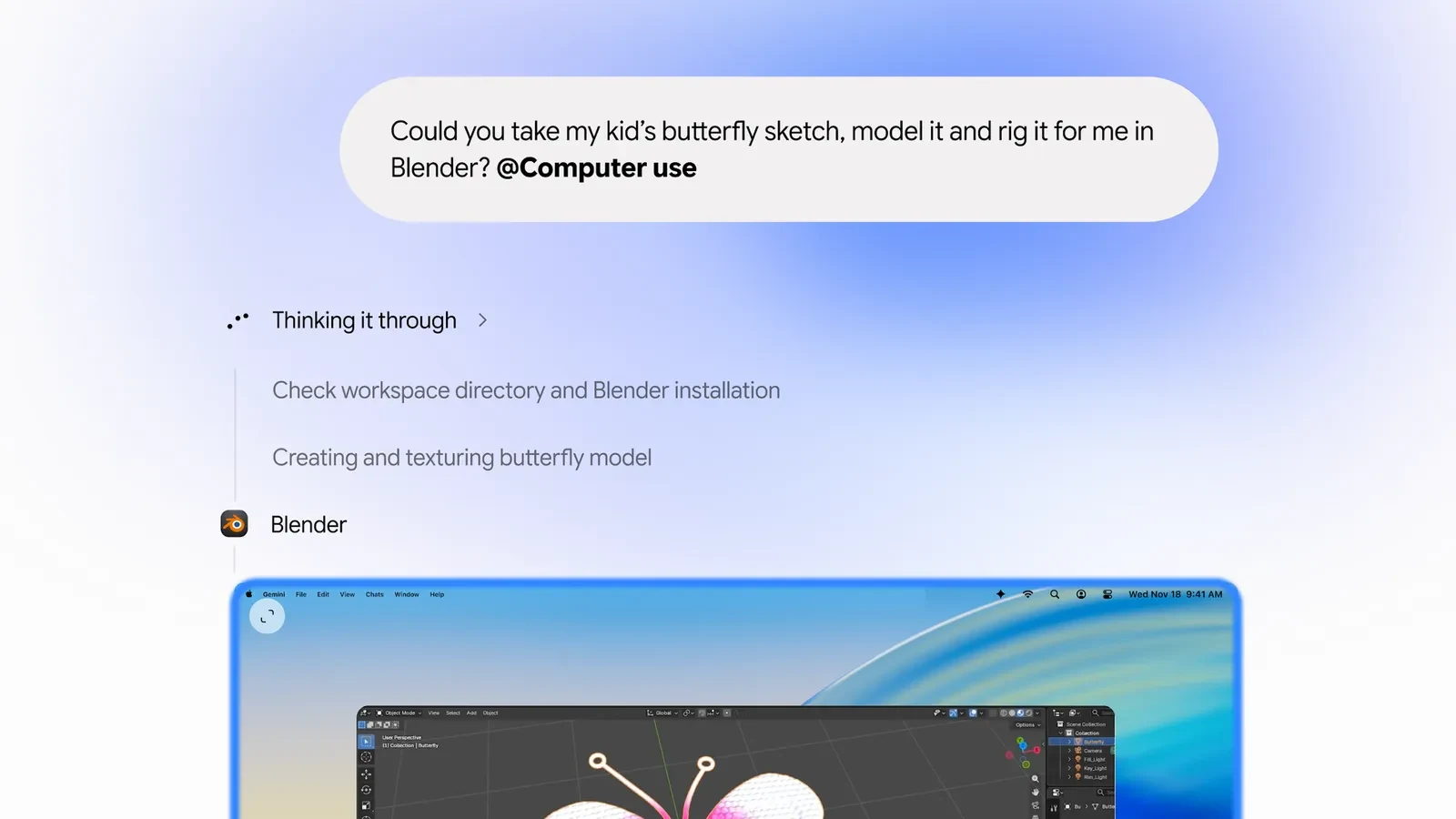
Google announced computer use for Gemini on Mac on November 19. It describes clicking through desktop apps and websites using information in local files. Work happens in an isolated background window with a live preview, leaving your main screen and cursor available.
That makes a different kind of job plausible: taking details from a supplier’s PDF and entering them into a carrier’s quote form. The appeal is the connective work between existing tools. A shop owner might already know how to read the packing sheet and request a quote. Repeating the transfer for several cartons is the burden.
Google names shipping quotes as an example. This note has not validated that workflow.
WHY THIS IS A NEW FIELD NOTE
Local apps change
the handoff.
Our earlier Gemini coverage examined Workspace workflows and agent identities. This release brings the question to desktop software and local material. Google’s support page limits computer use to personal accounts for now, excluding work and school accounts. A team evaluating it should keep that distinction in view.
The practical issue here is the meaning of a field. An assistant can copy a number perfectly and still put it beside the wrong unit, carton or destination. Successful navigation is only one part of a usable quote.
THE OFFICIAL DEMO
A visible app.
An inspectable result.
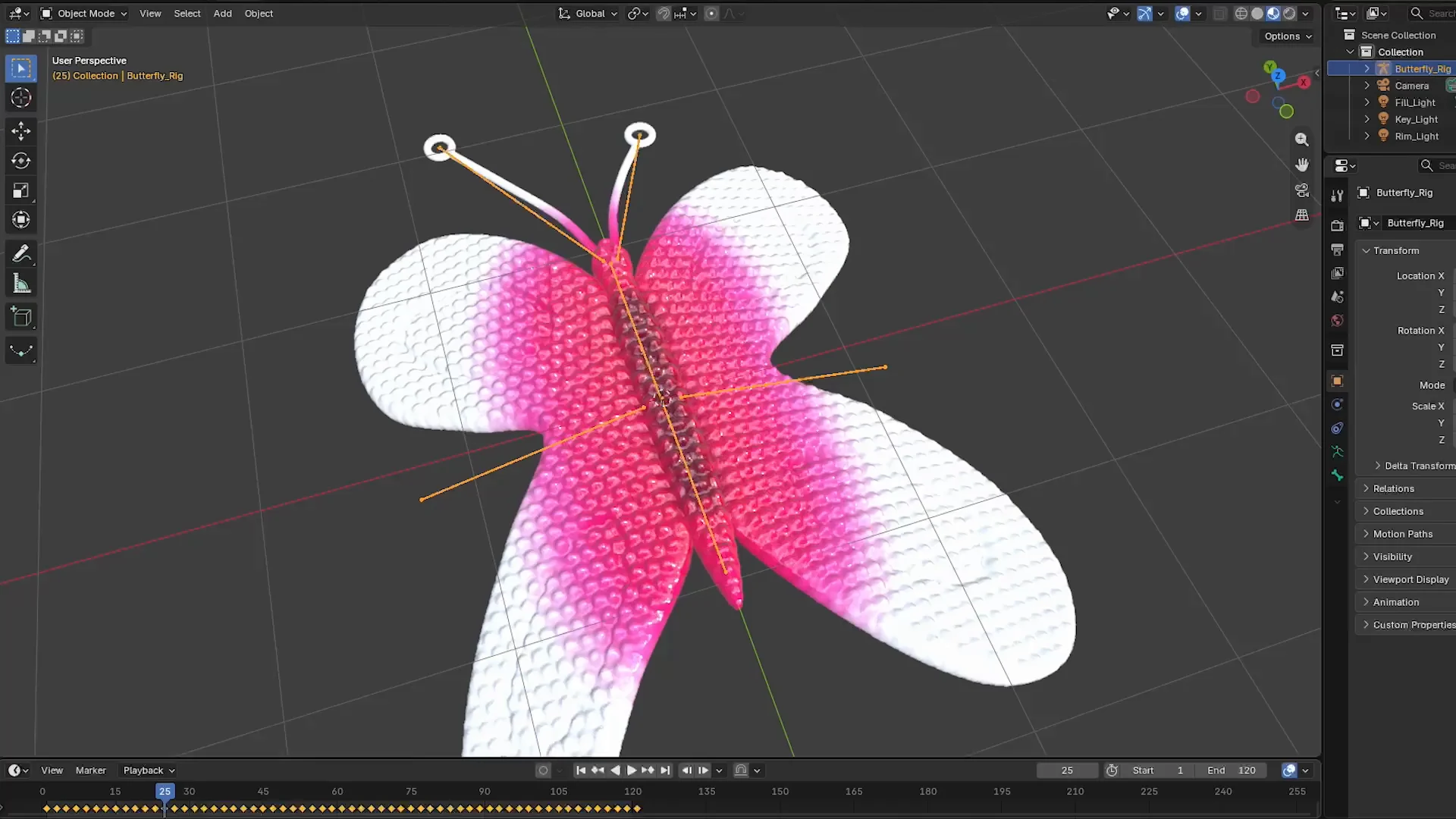
Google’s launch demo follows a butterfly sketch into Blender. The frame below shows the model and its animation timeline. It makes the cross-application ambition concrete, but it does not establish shipping accuracy or reliable performance in your software.
For a quote task, I would want the same visibility at the destination: each carton beside its entered dimensions, with enough context to check the mapping. A final “done” message is less useful than a reviewable form.
AN ORIGINAL EDITORIAL LAB
Same transfer.
Different ways to be wrong.
Imagine a fictional ceramics shop requesting a delivery quote for sample pieces. Choose a problem in the transfer below. The fixed teaching examples show what needs checking before the quote is useful. This is not a Gemini interface, model output or connected shipping service.
WHAT CHANGED BETWEEN THE DOCUMENT AND FORM?
Carton A
40 × 30 × 20 cm
6 kg gross
Quote form currently uses inches and pounds.
THE REVIEWABLE HANDOFF
Keep each value with its unit.
Entering 40, 30, 20 and 6 unchanged would give the form a different physical package from the one in the packing sheet.
Check the unit controls first. Ask for the source values and converted values side by side, then inspect the populated form before requesting the quote.
Carton identity, page reference and original units stay together.
Pair source values with the fields and units the form expects.
Confirm the physical package and delivery details before comparing prices.
A copied value
needs an identity.
Units are the obvious trap. Carton identity is quieter: a multi-page PDF may repeat a product description while giving different package dimensions. A summary that totals weights before preserving those pairings can lose the information the form actually needs.
My proposed intermediate output is a small manifest: one row per carton, source page, dimensions with units, gross weight and destination. That is an editorial workflow recommendation. Gemini would still need to demonstrate that it can produce and use it accurately.
A FIRST JOB WORTH FINISHING
Prepare the quote.
Keep the shipment separate.
Start with an invented packing sheet containing a deliberate discrepancy. Ask Gemini to prepare the manifest, identify the discrepancy and populate a quote form for review. Define the endpoint explicitly: a reviewed quote, with no shipment purchased.
A low price on screen means little if the service, package or destination is wrong. Compare the quote inputs with your manual version before comparing the price. The first trial should tell you whether the transfer survives inspection.
What I would inspect
Tick a check when you have inspected your own test result. This checklist stays in this page session and is not saved or sent.
0 of 6 checks recorded. This is your checklist, not a Gemini score.
A STARTING BRIEF / PROPOSED TEST
“Use this sample packing sheet to prepare a shipping quote. First show one row per carton with its source page, dimensions, units, gross weight and destination. Flag conflicts or missing details. Populate the quote form for review using its required units. Do not purchase a shipment or make a booking.”
THE USEFUL IN PRACTICE TAKE
Useful when the
transfer is the job.
Gemini’s desktop computer use is worth investigating when repetitive work crosses local files and software you already use. It may reduce the effort of moving information through those interfaces. That is a plausible benefit to test, not a measured saving.
The launch requires Apple Silicon, macOS Sequoia 15.0+, a personal adult account and Google AI Plus, Pro or Ultra, in U.S. English. Check current availability before planning a workflow.
The support documentation describes app access controls and confirmation for sensitive tasks. It says temporary backups are attempted but may not be possible; they last 24 hours or until the next prompt. A backup promise is therefore a poor substitute for using copies in your first trial.
For a one-off form, doing it manually may be easier than setting up a delegated job. For repeated transfers, keep the intermediate manifest and measure the cleanup as well as the clicking. If you need a dependable production shipping pipeline, a supported integration may offer a more predictable destination than interface automation. This release deserves a practical trial where you can inspect every package, not an assumption that every desktop task is solved.
SOURCES & METHOD
The evidence,
dated.
Published November 20, 2026. All sources accessed that date. Public documentation and official media support the product description. The shipping examples and worksheet are original proposed evaluations, not observed Gemini behavior.
- Google: Let Gemini tackle repetitive chores on your Mac, November 19, 2026. Launch, examples, media and availability footnote.
- Google: Use Gemini to work with apps on your Mac, current support documentation. Account eligibility, operation, backups and limitations.
- Gemini for desktop, current product page. General desktop availability differs from the specific computer-use rollout.
- Official Google hero artwork and demonstration video, obtained from the launch page. Images © Google; optimized locally and attributed at each use.