Google Intelligent Eyewear
When is a camera worth wearing?
Google’s new Gemini glasses use a camera to see what you’re facing and speakers to answer aloud. With Warby Parker and Gentle Monster preorders open, I’d take one ordinary task to a fitting before choosing a pair.
Build your fitting test
The November 12 release
The answer comes through your ears.
Google previewed audio glasses at I/O. This time there are named frames, preorders and a December 10 retail launch date. Google lists compatible accounts in the US and South Korea. Check the specific collection in your market. These are the audio models: the camera supplies visual context, and the reply comes through the speakers. Google has discussed display glasses separately. If you need to keep a direction or a translated sentence in view, plan on checking your phone.
That tradeoff has a practical upside. Standing at a workbench with both hands busy, asking what a label says could take less effort than unlocking a phone and lining up a photo. For a long serial number, I’d still want to read it back against the object. A spoken answer is quick to receive and easy to misremember.
Google says looking at something and asking Gemini about it requires a Bluetooth connection to a compatible phone. Basic actions such as taking a photo can work without the connection. Check your exact handset and operating system before ordering, and try the specific feature you want. Google lists separate app requirements for Maps directions and live translation.

Try this at the fitting
Bring one real task.
Choose what you’d use the glasses for. Each exercise gives you a baseline and a result you can check before deciding whether the camera earns its place.
Proposed store exercises. Use public or mock material and confirm which account features the demo can show.
Camera and consent
Two uses of the same lens.
When you look at a sign and ask a question, you’re using the camera as input. When you ask for a photo, you’re making a file. That distinction is easy to lose when the hardware looks the same either way.
Camera context → spoken response
Google says Gemini camera visuals aren’t stored in Gemini History or used for model training or ad targeting. Visual processing still takes place, and conversation history has its own settings.
Camera capture → gallery file
Google says deliberate gallery capture lights an outward indicator. Ask before filming people. The hardware switch lets you turn the device off when you want to wear the frames as ordinary glasses.
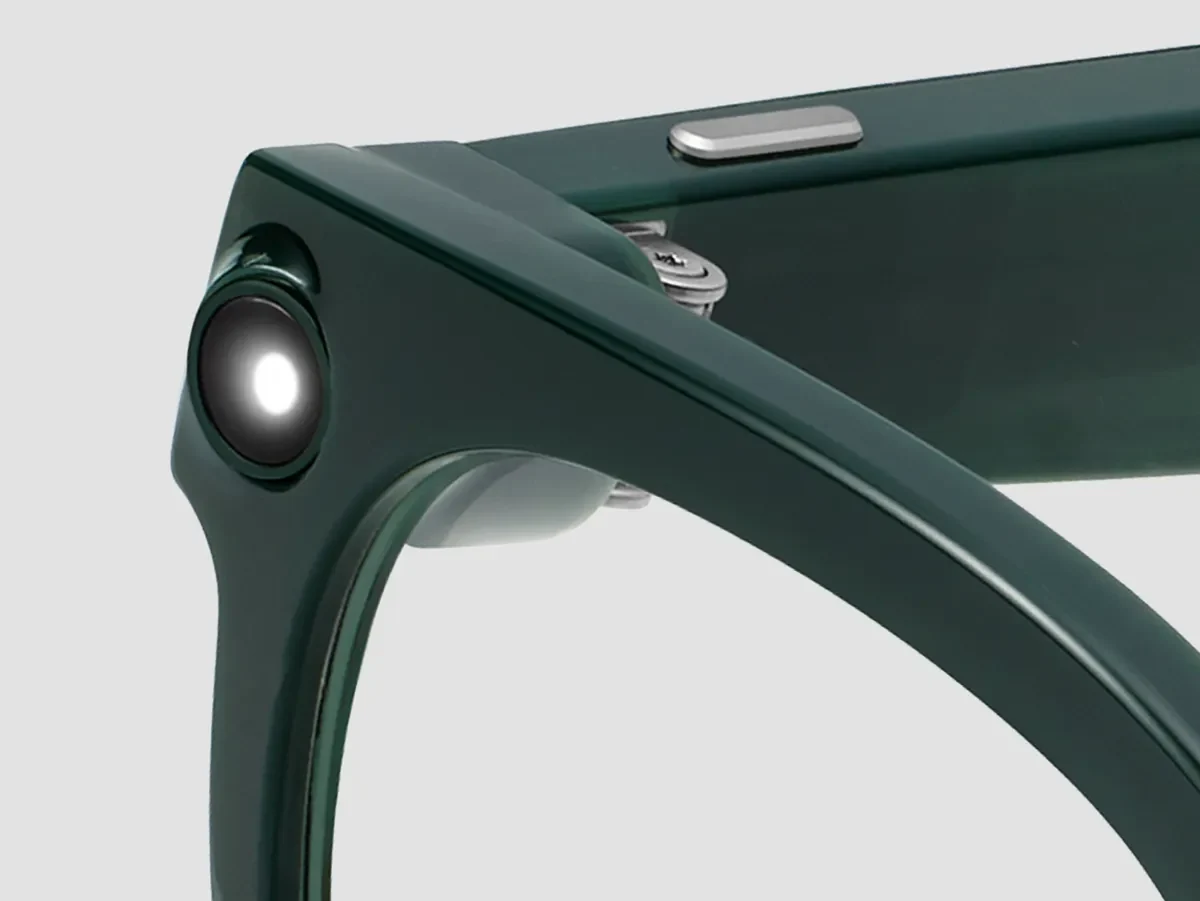
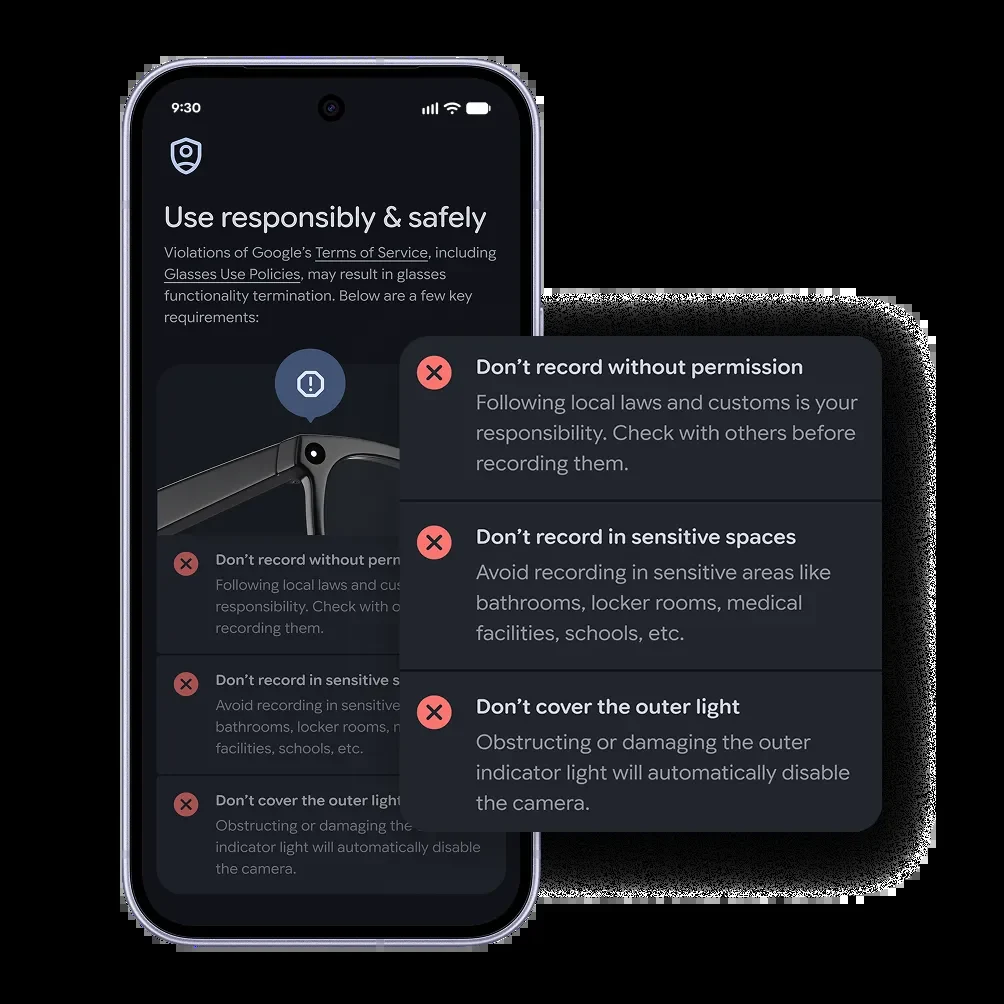
Google says the glasses are designed to redact nearby faces before Gemini processes visuals. That claim does not tell a person in the room which mode you’re using or establish how well redaction works in a particular setting. If I’m visiting a client, I’d keep the camera off unless there’s a clear reason to use it and everyone affected understands the use.
For readers evaluating Guided Vision, Google describes spoken scene and text descriptions on supported Android pairings. Try it on a stationary, low-stakes task such as distinguishing labels. Google excludes navigation and obstacle detection from its intended use. This feature needs its own compatibility check even if your phone supports the glasses generally.
Frames and fit
Buy the pair you’d wear.
The two collections share the Gemini eyewear concept. The frame and lens fit may affect your day more often than any AI feature.
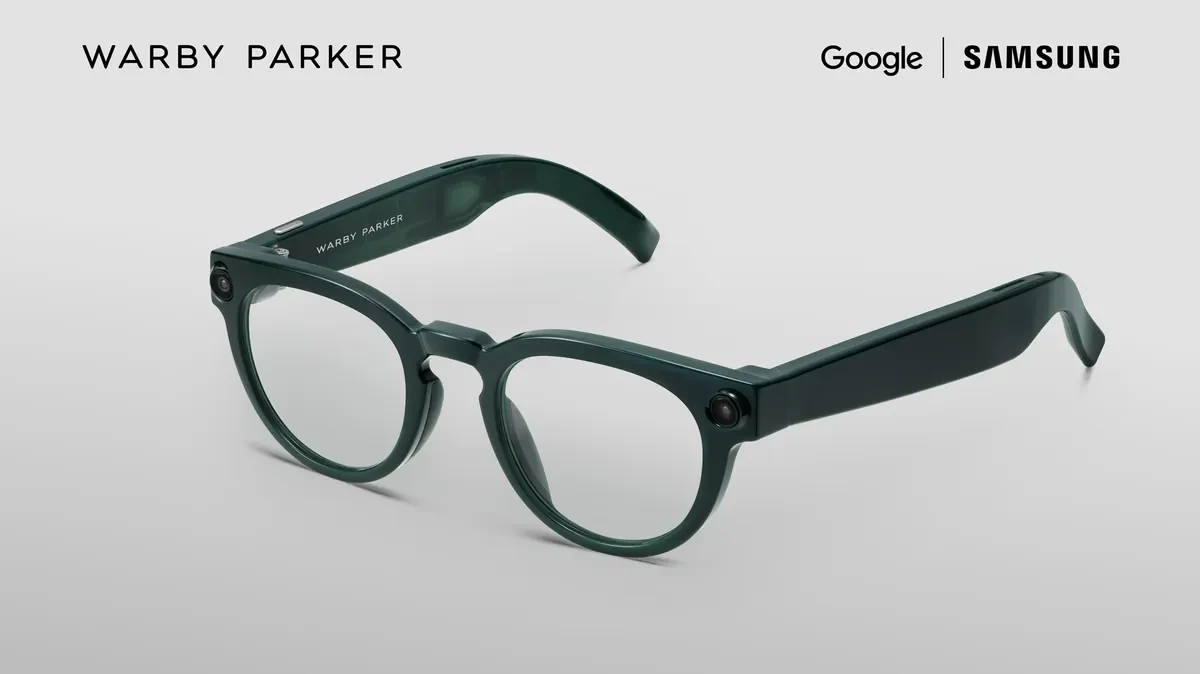
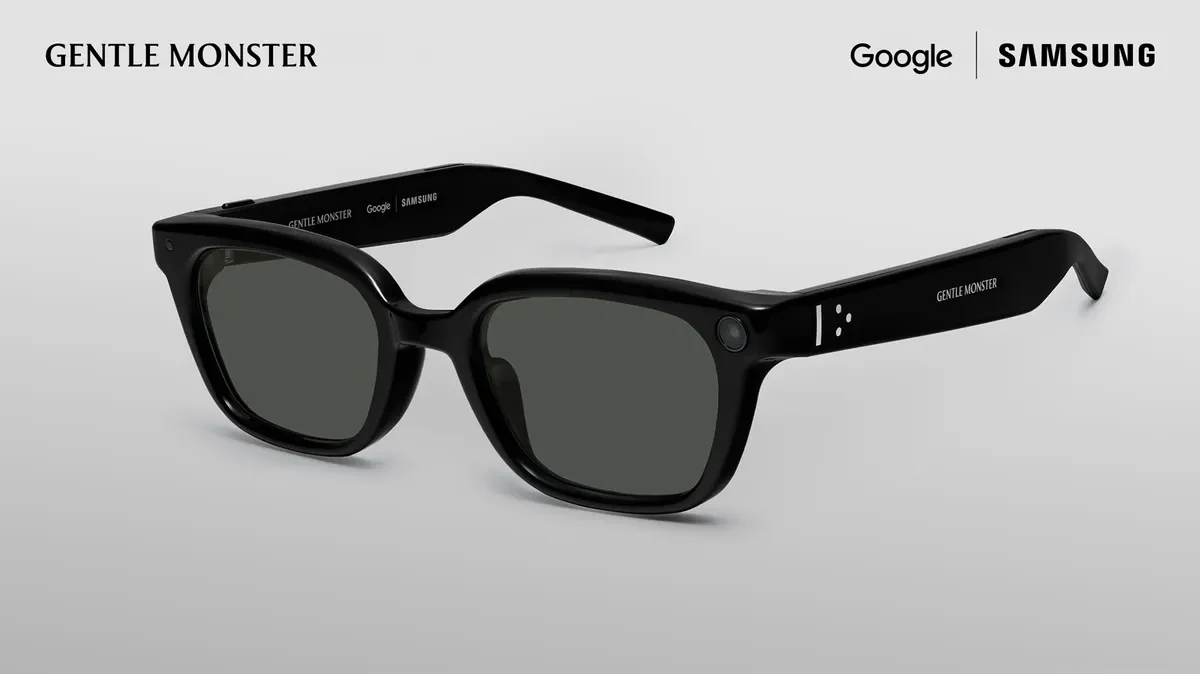
Both prices are Google’s November 12 starting figures. Quotes for prescription lenses can differ. Warby Parker lists up to nine hours per charge, and Google says its estimate uses a mix of activities. There’s no basis here for assuming nine hours of continuous camera use. Find out whether the charging case fits the way you already carry your glasses.
Google lists demos at select stores. I’d bring my prescription and ask to try the exact frame and width I’d order. A bridge that slips changes where the camera points. A temple that presses behind the ear gets old well before the battery runs out.
For calls and listening alone, use the camera-free Ray-Ban Meta Audio Field Note as a baseline. There the decision was whether audio belongs in your frames. Here it’s whether a camera that can answer questions about what’s in front of you removes a step you actually repeat. The earlier Gemini at work Field Note looked at software delegation. Eyewear changes the input: a brief look can supply the context that would otherwise take a photo or a longer description.
My preorder test. Pick one task you do each week. If a demo can complete it with less attention than your phone and you’d still wear the pair when it’s powered off, the category makes sense. If you mainly need music or calls, compare the audio-only option first.
Sources and image credits
- Google’s collection announcement and product photography · November 12, 2026
- Google’s privacy explanation, capture indicator and setup image · November 12, 2026
- Google product documentation and Look and Ask example · checked November 13, 2026
- Warby Parker specifications and lens options · checked November 13, 2026
- Google I/O preview of audio eyewear · May 19, 2026