Launch briefing · OpenAI
You Can Now Claim Your Business in ChatGPT. What Does That Actually Get You?
OpenAI’s new Business Hub lets eligible businesses update their profiles and share product data. Here’s what I’d check before judging it by traffic.
OpenAI announced the Businesses in ChatGPT beta on November 10. Business Hub gives eligible businesses a way to manage what they submit. A Business Agent is an additional option for eligible U.S. ecommerce and online service businesses.
What can you actually change?
After claiming and verifying a business, you can edit details such as its website, description and return policy. Retailers can connect a product feed with current prices and availability. Shopify merchants have an integration path through Shopify or Business Hub.
Say a $49 product is now $59. You can correct the feed and confirm what the business profile shows. A fresh ChatGPT answer is a separate check. OpenAI says ChatGPT may use submitted product information, so I’d check what the answer actually cited before drawing a conclusion about where it got the price.
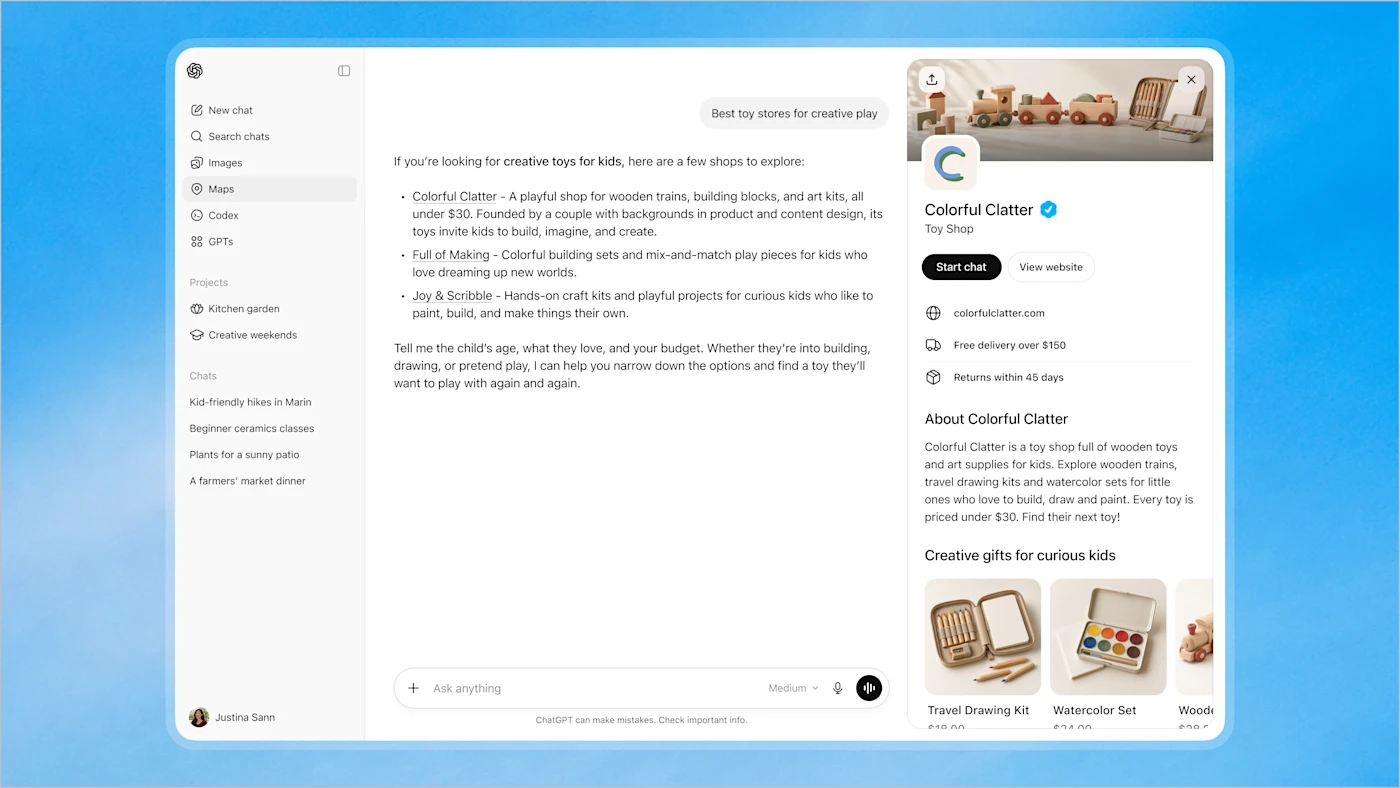
When would I build a Business Agent?
I’d consider it if shoppers keep asking a question your product page struggles to answer. Think of a buyer comparing two starter kits who wants to know which one includes the supplies they already own. An eligible business can build and test an agent that answers using the product and policy information it provides.
The customer chooses to open that conversation from the profile, when an agent is available. I’d test the normal ChatGPT answer and the business’s own agent independently. They’re two different places for a shopper to hear about you.
What can you measure?
Business Hub can show aggregated mentions, website clicks and common topics where your website was cited. OpenAI says the insights depend on minimum activity thresholds. A small shop may have to wait for those numbers, so I’d start with an accuracy check I can run today.
Where I’d start
Pick a real question about one product, like “Can I return this kit after opening it?” Record the answer and the cited page in a fresh chat. After updating the policy wherever customers can see it, check the profile and run the same question again. Log which surfaces reflect the change. A single check tells you what happened in that session. Repeat it before calling it a pattern.
This Briefing draws on OpenAI’s public documentation and launch materials. The price example and the proposed checks are illustrative.
Browse all Briefings